Transactions, voids & refunds
Transactions is the full sales history. Each sale links to its session and customer, and is where you reprint a receipt, void a wrong sale or refund returned goods.
When to use
Open Transactions to look up a sale, print the retail invoice PDF, cancel a mistaken sale (void) or take goods back (refund).
Before you start
- Permission:
pos:useto browse/pos/transactions; void and refund are management actions (pos:manage); export needspos:reports. - Toggles:
pos.void_requires_reasonandpos.refund_requires_reason(default off; on for new companies) force the user to enter a reason.pos.inventory_sync_on_sale(default on) decides whether void/refund return goods to stock.
Find the sale
Go to POS → Transactions, search or filter, and open the sale to see lines, payments, session and customer.
Void a sale
Choose Void on a completed sale and enter the reason if required. Stock is returned (when inventory sync was on) and the revenue entry is reversed in Accounting.
Refund a sale
Choose Refund, select what comes back and enter the reason if required. Goods are restocked against the lines that were originally sold, and the refund posts to Accounting.
Print or export
Use the PDF action for the retail invoice, or export the list from the reports area.
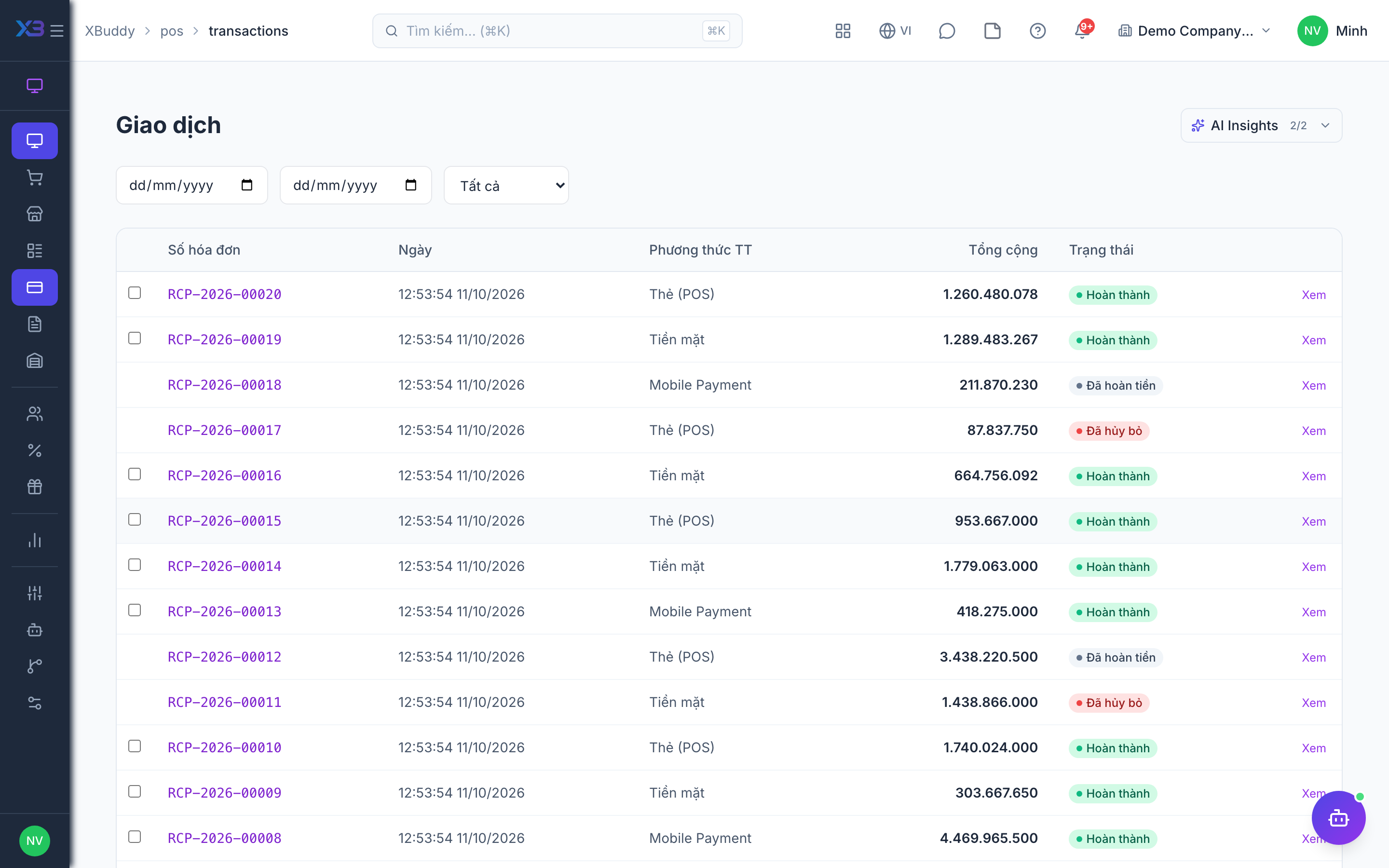
Statuses
| Status | Meaning | Who moves it |
|---|---|---|
| Completed | Sale finished; stock reduced, revenue posted, points earned. | Cashier at the Terminal. |
| Voided | Sale cancelled; stock and revenue reversed. | Manager with pos:manage. |
| Refunded | Goods returned; stock and revenue reversed for the refunded part. | Manager with pos:manage. |
Tips & common mistakes
- Void only fixes a sale entered by mistake; use refund when the customer actually returns goods.
- Restock happens only if the original sale reduced stock — a sale made with inventory sync off returns nothing to stock.
- Enter a meaningful reason; it is the audit trail for cash shortages.
- Postings to Accounting are sent after the sale is saved, with no automatic retry queue — ask finance to check if a sale is missing from the ledger.