RFQs and quote comparison
RFQs let you request pricing from several vendors and compare responses before committing.
When to use
Use an RFQ when the purchase is large enough, or the vendor unclear enough, that you want competing quotes on record. If you already have a negotiated price or contract, skip the RFQ and issue a PO. Requiring an RFQ before every PO is optional and off by default.
Before you start
- Open
/procurement/rfqswithprocurement:read. - Toggle
procurement.require_rfq(default off) forces POs to go through an RFQ. - Toggle
procurement.require_quote_attachment(default on) requires a quote to carry an attached file. - Vendors need to exist in
/procurement/vendors; a vendor can be invited to the vendor portal to submit quotes itself.
Step by step
Create the RFQ
Go to Procurement → RFQs (/procurement/rfqs) and select the requisition lines to quote. Add the vendors to invite. An approved requisition can be converted into an RFQ directly.
Collect responses
Enter each vendor’s quoted price, lead time, and terms as they respond, or send the vendor a portal link so they submit the quote themselves (see the vendor portal page). Quotes can be negotiated and re-entered.
Score the quotes
Score the quotes and compare them side by side on price and lead time. The system can propose an award.
Award and convert
Approve the vendor selection, then accept the winning quote to create the Purchase Order. Each RFQ line is consumed once, and an expired or duplicate quote is rejected.
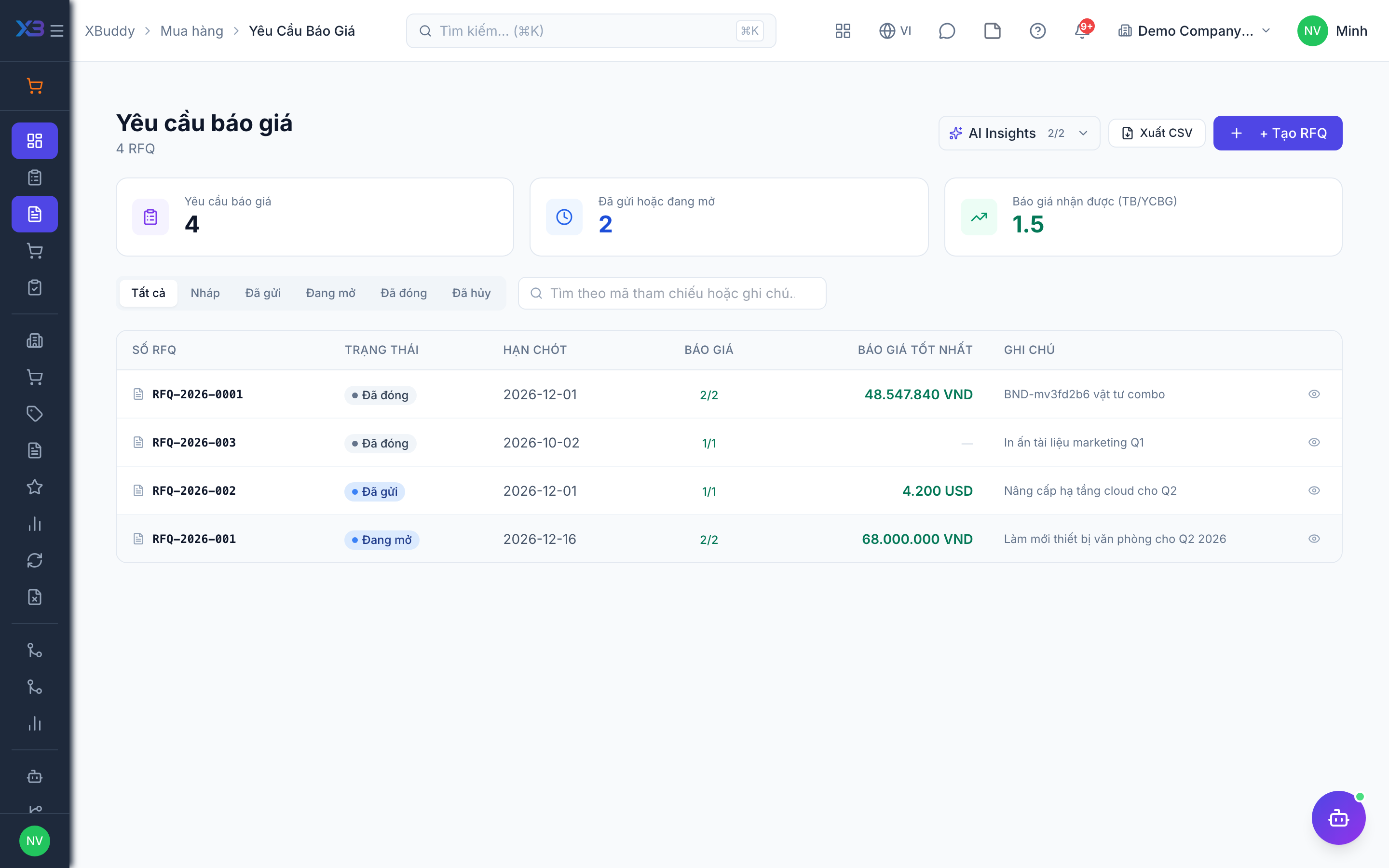
RFQ progress
| Stage | What happens |
|---|---|
| Sent | Vendors are invited; sent RFQ lines are append-only |
| Quoted | Vendors reply (entered by you or via portal) |
| Scored | Quotes are scored and compared |
| Award proposed | A recommended vendor goes to vendor selection approval |
| Awarded | Winning quote becomes a PO; other quotes are marked awarded to another vendor |
Tips & common mistakes
- Attach the vendor file to each quote when the attachment toggle is on, otherwise the quote is refused.
- Do not accept a quote past its validity date; expired quotes are rejected.
- Optionally create a vendor contract automatically from an award with
procurement.create_vendor_contract_from_rfq_award(default off). - Compare on total cost, not unit price only; landed charges can change the ranking.