Daily log and notes
When to use
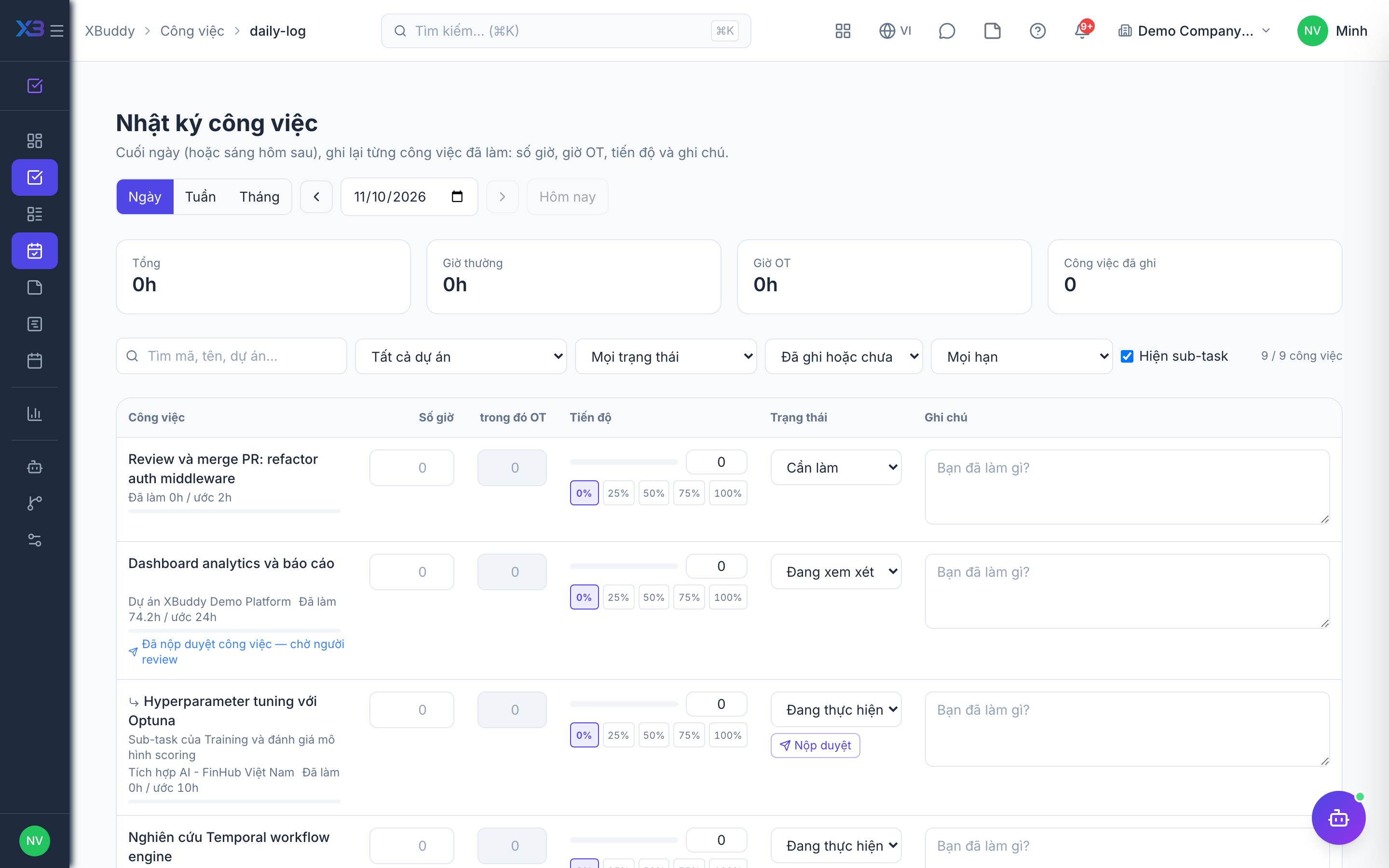
Use the daily log at the end of each day to say how many hours you spent on each task and how far it has progressed. Use notes for private reminders you do not want attached to a task for others to see.
Before you start
- Opening the daily log needs
tasks:read; saving it needstasks:write. - Notes have no permission gate because they are yours only. Managers cannot read your notes.
- You can only log back to the date window that your company allows. Older days are blocked.
- Each task you log gets one project time-log line for that day, so project hours stay current (see Time logs and expenses).
Steps
Open today’s log
Go to Daily log (/tasks/daily-log). It lists your open tasks and any hours already logged for the day.
Fill in hours and progress
For each task enter the hours, the overtime part if any, the progress percentage, and the status. Add a note if needed.
Save the day
Save the whole day at once. Hours go to the project time logs, and progress and status update the tasks.
Print a summary
Switch to the weekly or monthly summary, which you can print. The printout has space for the employee and the manager to sign.
Keep private notes
Open Notes (/tasks/notes) to write notes, pin the important ones, and add tags.
Tips & common mistakes
- Log every day. Back-dating is limited, so a week of missing entries may not be fixable.
- Logging again for the same task and day updates that entry rather than adding a second one.
- Do not put information the team needs in a private note; use a comment on the task.
- Hours you log here count toward project cost and billing once approved.