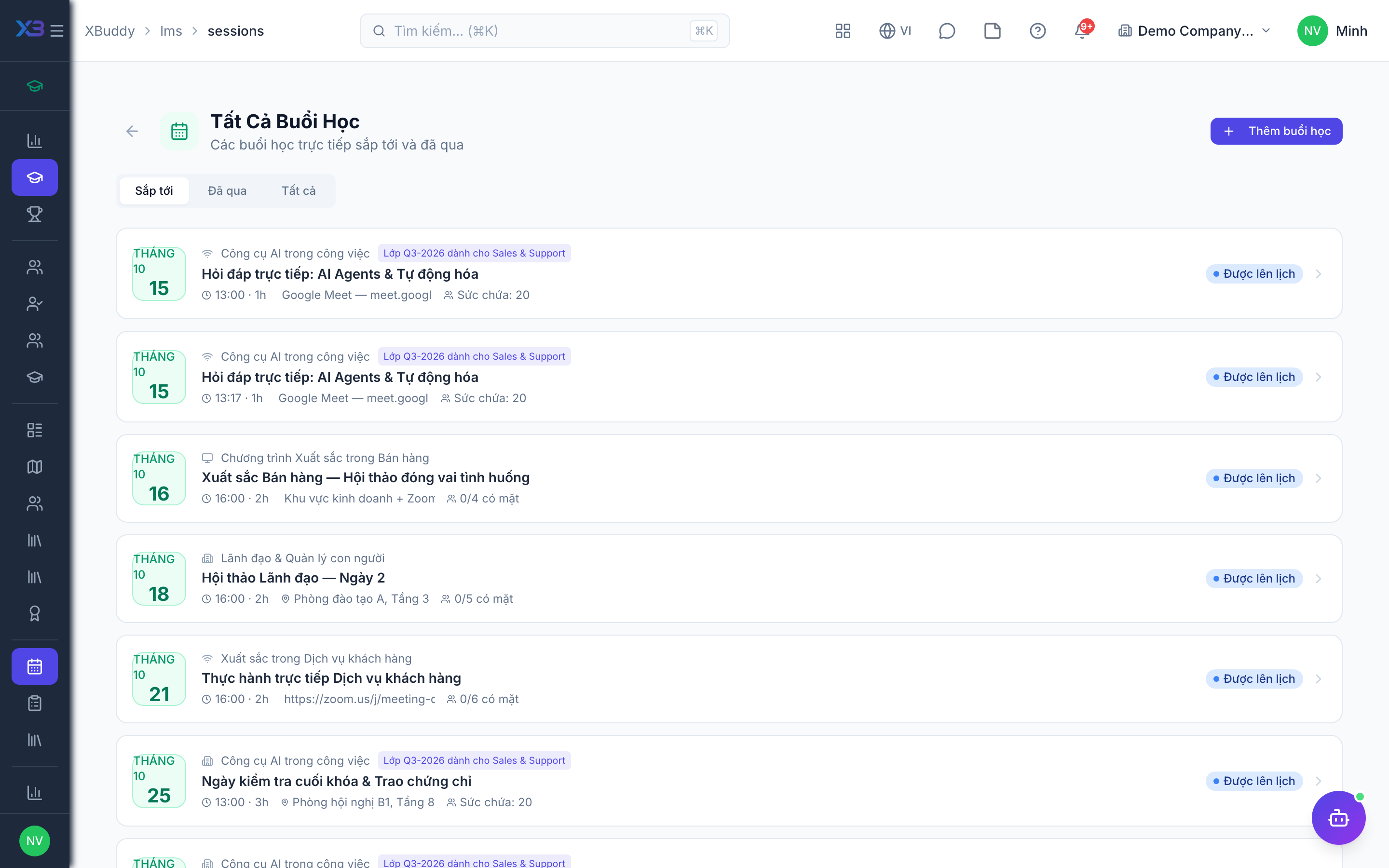
Instructor-led sessions
ILT Sessions handle scheduled, live training — classroom or virtual — with attendance that counts toward course completion.
When to use
Use this for live training: classroom sessions, workshops or webinars. A class (cohort) holds a group of learners; sessions are the individual meetings, and attendance can complete the course.
Before you start
- Permissions:
courses:readto view;courses:writeto create classes and sessions;enrollments:manageto enrol attendees. - Classes live at
/lms/cohorts, sessions at/lms/sessions, and the trainer directory at/lms/trainers. - Class health is monitored by the AI assistant.
Schedule a session
Go to LMS → Sessions (/lms/sessions) and create a session with a date, location or link, instructor, and capacity.
Enrol attendees
Add attendees directly, or link the session to a course so enrolled learners can register.
Record attendance
After the session, mark attendance. Present learners have the linked course marked complete, triggering certificates where configured.
Course, class and session
| Concept | Meaning |
|---|---|
| Course | The training content template |
| Class (cohort) | One delivery of a course to a group of learners |
| Session | A single meeting of a class, with date, place or link and trainer |
Self-paced learners are not tied to a class. For live training, attach sessions to the class so the roster and attendance line up.
Tips & common mistakes
- Link every live session to a class so attendance maps to the right enrollments.
- Mark attendance soon after the session; completion depends on it.
- Capacity and trainer are set per session; check both before inviting people.
- Use the trainer directory so instructors are reusable across sessions.