Procurement
XBuddy Procurement runs your full source-to-pay cycle: a requisition is raised, quotes are collected from vendors, a purchase order is issued, goods are received, and a bill is matched and paid — all under approval chains and 3-way match controls. It carries the vendor master, price lists, contracts, scorecards, and the returns/debit-note flow so spend stays governed and auditable.
PR → RFQ → PO → GRN → Bill. Each step links to the next in the Document Chain, so from any purchase order you can trace back to the originating requisition and forward to the goods receipt and vendor bill.
Key Features
- Purchase Requisitions with approval routing and budget checks
- RFQs to multiple vendors with side-by-side quote comparison
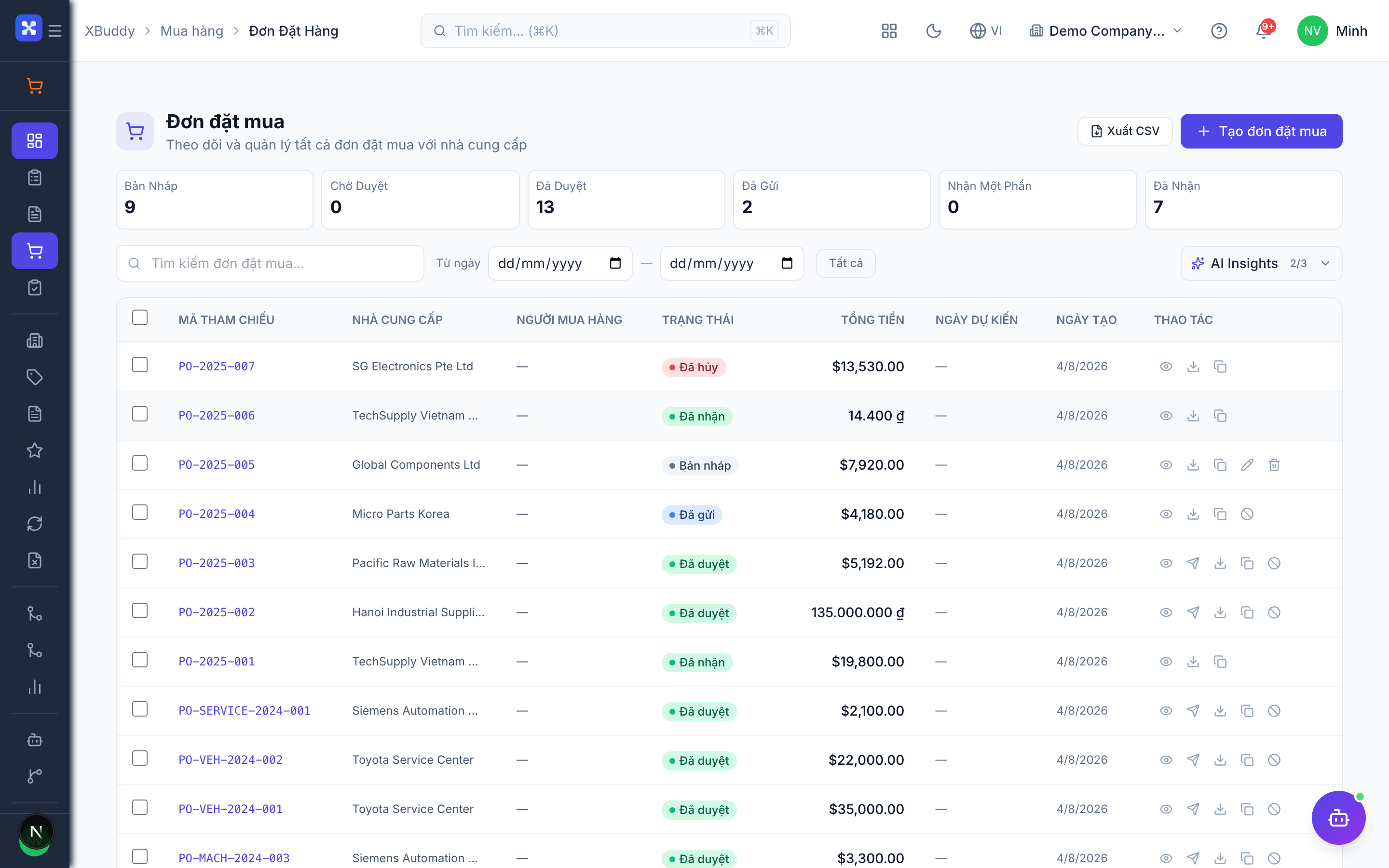
- Purchase Orders that convert directly from an approved requisition or RFQ
- Service Confirmations for non-stock service purchases
- Goods receipt integration and 3-Way Match (PO ↔ GRN ↔ Bill)
- Vendor master with Price Lists, Contracts, Preferences, and Scorecards
- Vendor Returns and Debit Notes with full reversal handling
- Configurable Approval Chains by amount, category, and department
- Reports on spend, on-time delivery, and vendor performance
Important features
Full feature reference
| Nav item | Path | What it does |
|---|---|---|
| Overview | /procurement | KPI dashboard — open POs, spend, and vendor performance |
| Purchase Requisitions | /procurement/requisitions | Capture and approve purchase needs |
| RFQs | /procurement/rfqs | Request and compare vendor quotes |
| Purchase Orders | /procurement/purchase-orders | Issue and track committed orders |
| Service Confirmations | /procurement/service-confirmations | Acknowledge completion of service purchases |
| Vendors | /procurement/vendors | Vendor master records and contact details |
| Vendor Price Lists | /procurement/price-lists | Negotiated pricing per vendor and item |
| Vendor Contracts | /procurement/contracts | Framework agreements and terms |
| Vendor Preferences | /procurement/vendor-preferences | Preferred vendor per category |
| Scorecards | /procurement/scorecards | Vendor performance scoring |
| Vendor Returns | /procurement/vendor-returns | Return goods and reverse receipts |
| Debit Notes | /procurement/debit-notes | Price/short-delivery adjustments |
| 3-Way Match | /procurement/matching | Reconcile PO, GRN, and bill before payment |
| Approval Chains | /procurement/approval-chains | Configure approval routing rules |
| Reports | /procurement/reports | Spend, delivery, and vendor analytics |
| AI Hub | /procurement/automation/agents | Procurement AI agents and suggestions |
| Workflows | /procurement/automation/workflows | Automation rules for procurement steps |
| Settings | /procurement/settings | Module configuration and defaults |
Integration points
| Integrates with | Direction | What flows |
|---|---|---|
| Inventory | Outbound | Purchase orders drive goods receipts (GRN) that increase stock |
| Finance | Outbound | Received POs generate vendor bills for payment |
| Accounting | Outbound | Bills and returns post journal entries to the GL |
| Field Service | Bidirectional | Subcontracting purchases and parts requisitions link to jobs |
| Budgets | Inbound | Requisitions and POs check against budget when control is enabled |
Related AI agents
| Agent | What it does |
|---|---|
| Procurement Assistant | Monitors open POs for late delivery, flags 3-way-match mismatches, and suggests reorder and vendor actions |