Setting goals and running reviews
When to use
Use this at the start of a review period: to see goals in context, launch a cycle, collect self, manager and 360 reviews, and compare ratings across managers. It replaces separate forms with one tracked cycle.
Before you start
- Permissions:
performance:readto view;performance:writeto create cycles, assign reviewers and submit;performance:approvefor calibration and merit;okrs:readto see the Goals page in this app. - Toggle
people.review_360_feedback(default off, on for new companies): allows 360 feedback requests. - Toggle
people.calibration_session_required(default off): the cycle must be marked as calibrated before merit pay proposals can be created. - When an OKR cycle is closed, OKR scores are pushed into open reviews of the owners.
Set goals
Go to Performance → Goals to define objectives for individuals and teams, cascaded from company priorities so everyone pulls in the same direction.
Launch a review cycle
Go to Performance → Reviews to start a cycle. Choose participants, the rating scale, and whether to collect 360 feedback from peers, reports, and managers.
Calibrate ratings
Before finalizing, use calibration to compare ratings across managers and remove bias, ensuring a “meets expectations” means the same thing everywhere.
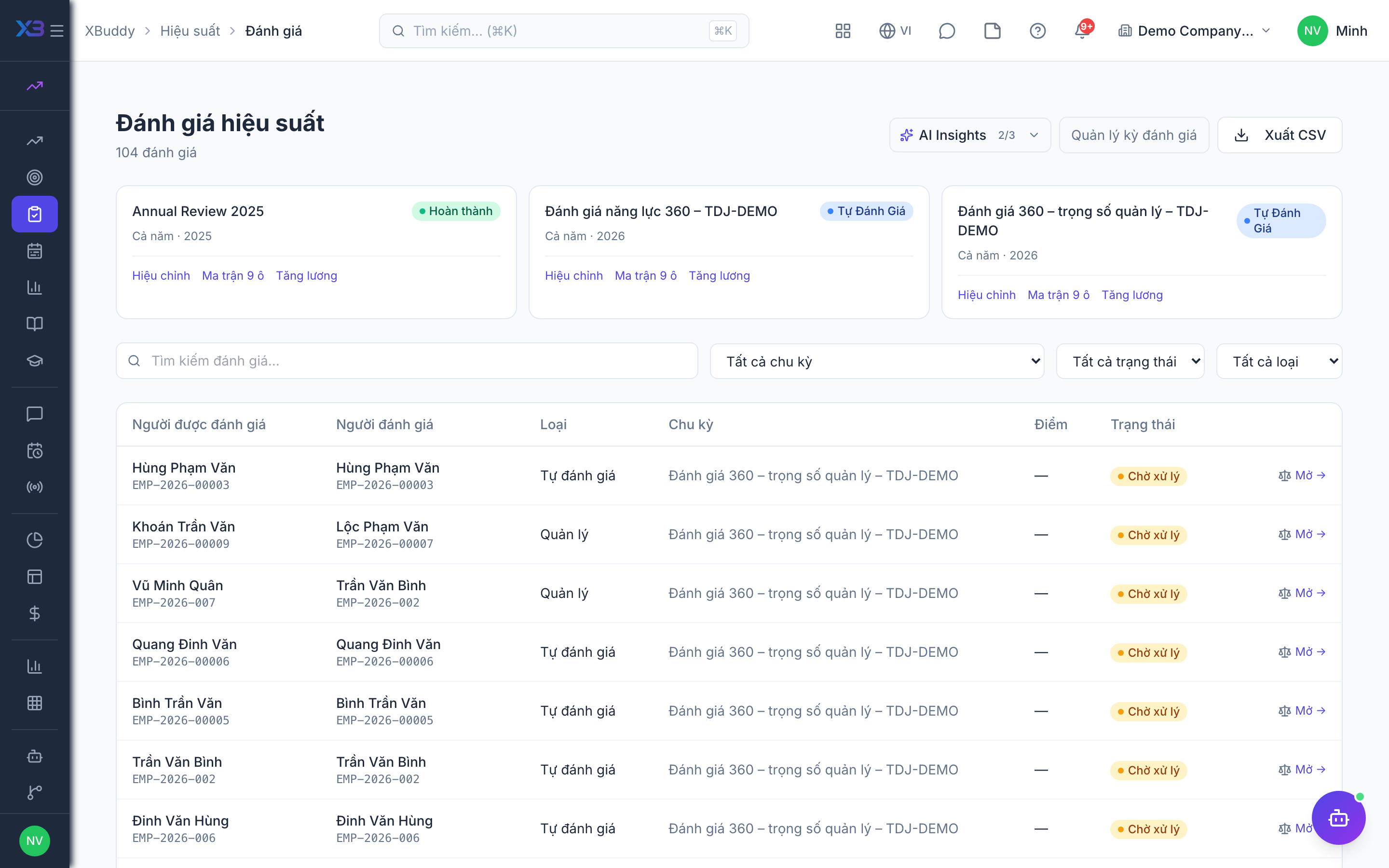
Review statuses
| Status | Meaning | Who moves it |
|---|---|---|
| Pending | Review assigned, not started | Created by HR or the manager |
| In progress | Reviewer has started the form (draft is kept on reopen) | The reviewer |
| Submitted | Reviewer’s form is in | The reviewer |
| Finalized | Consolidated 360 result locked for the person | A user with performance:finalize |
Each reviewer assignment is its own review row; the manager row is the canonical one used by the nine-box and merit pay.
Tips & common mistakes
- Pick the reviewers before the cycle opens so nobody starts late.
- Use calibration before finalizing; a rating should mean the same across managers.
- Turn on the 360 toggle before sending feedback requests, otherwise they are blocked.
- Employees and managers see only what their data scope allows; HR sees the whole cycle.