Depreciation
Depreciation spreads an asset’s cost over its useful life. Asset Management links each asset to its fixed-asset record in Accounting so depreciation runs post journals against the right ledger accounts.
When to use
Run operational depreciation each period to keep register values current, and compare it with the accounting fixed-asset card.
Before you start
- Open
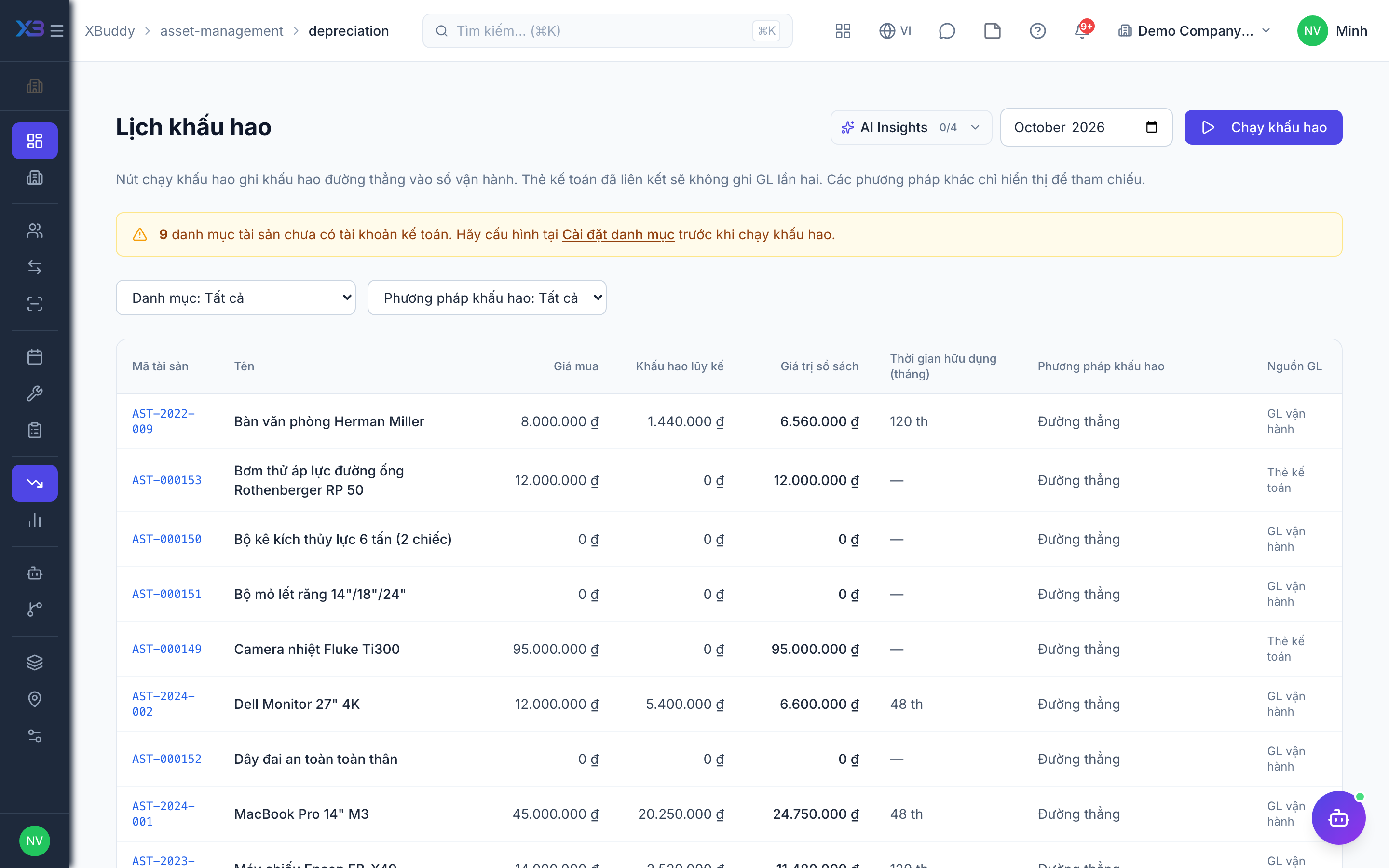
/asset-management/depreciation. Permission:assets:readto view; accountants coordinate with Accounting. - Operational depreciation supports straight-line only. Assets linked to an accounting fixed-asset card are posted to the ledger by that card, not by this run.
Set the depreciation basis
On the asset (or its category), set the method, useful life, and salvage value.
Track depreciation
Go to Asset Management → Depreciation to see accumulated depreciation and net book value per asset.
Post to Accounting
Depreciation runs post journal entries so the register value and the general ledger stay aligned.
Run a period
Run depreciation for a period. Running the same period again does not add up twice. Terminal assets (disposed, lost) are skipped.
Compare with Accounting
For linked assets only the accounting card writes ledger entries; use the reports to compare book value on both sides.
Tips & common mistakes
- Set the method, life and salvage value before the first run — past periods are not recalculated.
- Do not expect a journal entry from this page for assets that already have a fixed-asset card — Accounting posts it.
- Check dates: entries follow the company date, not UTC.
- Use revaluation (see Disposal & revaluation) for value changes, not a manual edit.