Purchase categories and access
Purchase categories group what you buy and decide which teams may see and buy each group.
When to use
Use categories when departments should not buy across each other’s product groups, or when approvals should route differently per group. Small companies can leave the feature off.
Before you start
- The feature is the toggle
procurement.categories(default off). - Managing categories needs
procurement:admin; reading the list needsprocurement:read. - The settings page is
/procurement/settings/categories.
Step by step
Turn the feature on
Enable the purchase categories toggle in Procurement → Settings (/procurement/settings).
Create categories
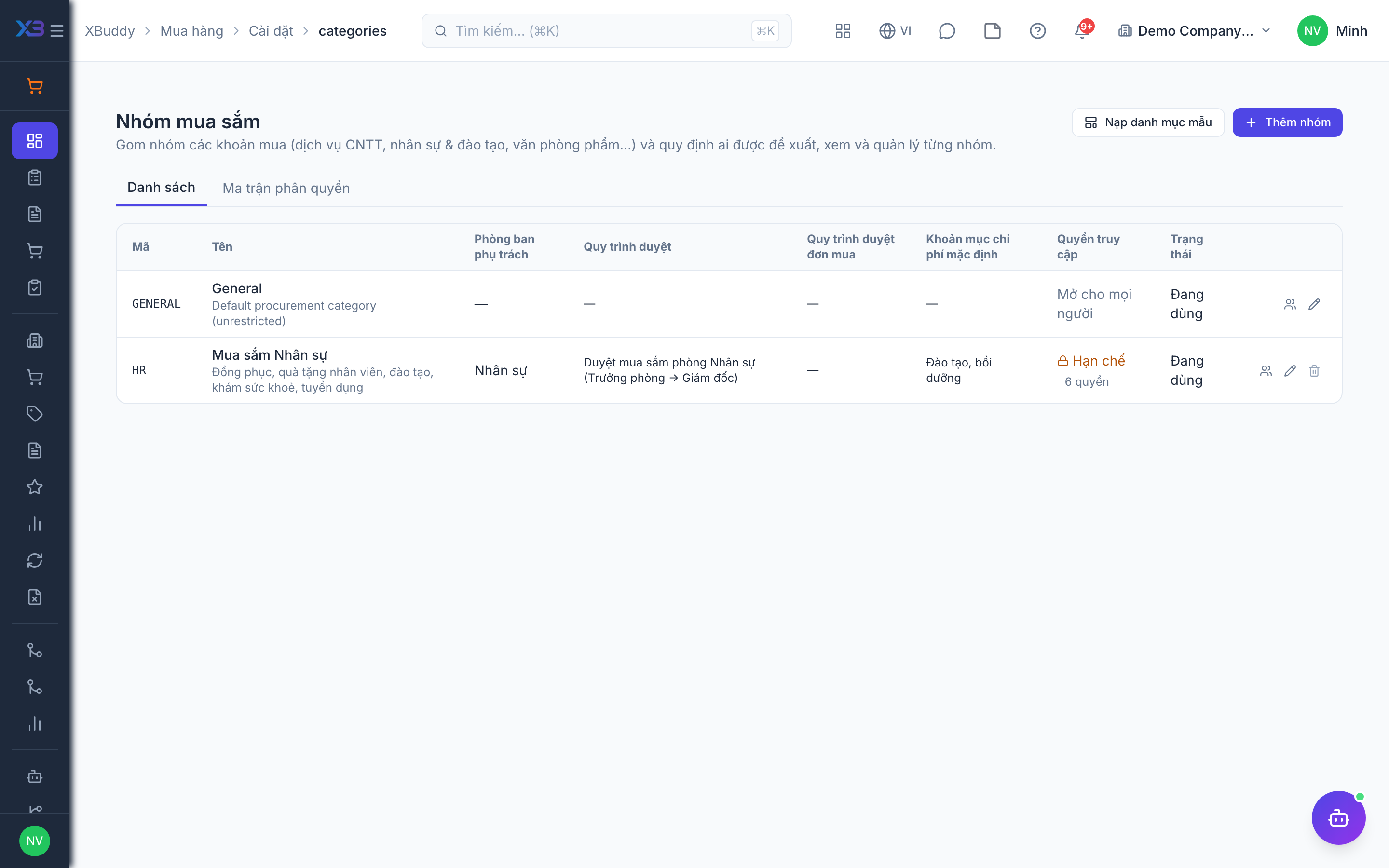
Open /procurement/settings/categories. Create categories by hand, or apply a ready-made template. Each category can pick its approval workflow and the expense category it maps to.
Grant access by team
Use the access matrix to grant or revoke which people or teams can work on each category. Requisitions, RFQs, POs, receipts, vendor bills and returns are then filtered by category on top of the own, team and all scope.
Check the result
Create a requisition in a category and confirm that it routes to the approval chain for that category and is only visible to the granted teams.
Tips & common mistakes
- Plan categories around who buys what, not around accounting codes.
- Older documents with no category (a PO from a sales order, a GRN with no PO) are not restricted by category access.
- Grant access to a team rather than to individuals to keep the matrix manageable.
- Category access narrows what people see; it does not replace role permissions.