Learning Management System
XBuddy LMS is the full training platform for your organization. Authors build courses from mixed content (video, documents, SCORM packages, quizzes) and chain them into learning paths; administrators publish them to a catalog, enrol learners manually or via automated rules, and run instructor-led (ILT) sessions. Learners consume training in My Learning, earn certificates and badges, and climb the leaderboard, while managers track completion and compliance across their teams.
Self-paced and instructor-led in one place. Online courses (including SCORM 1.2 packages) run asynchronously in My Learning, while ILT Sessions handle scheduled classroom or virtual training with attendance — both feed the same completion records and certificates.
Key Features
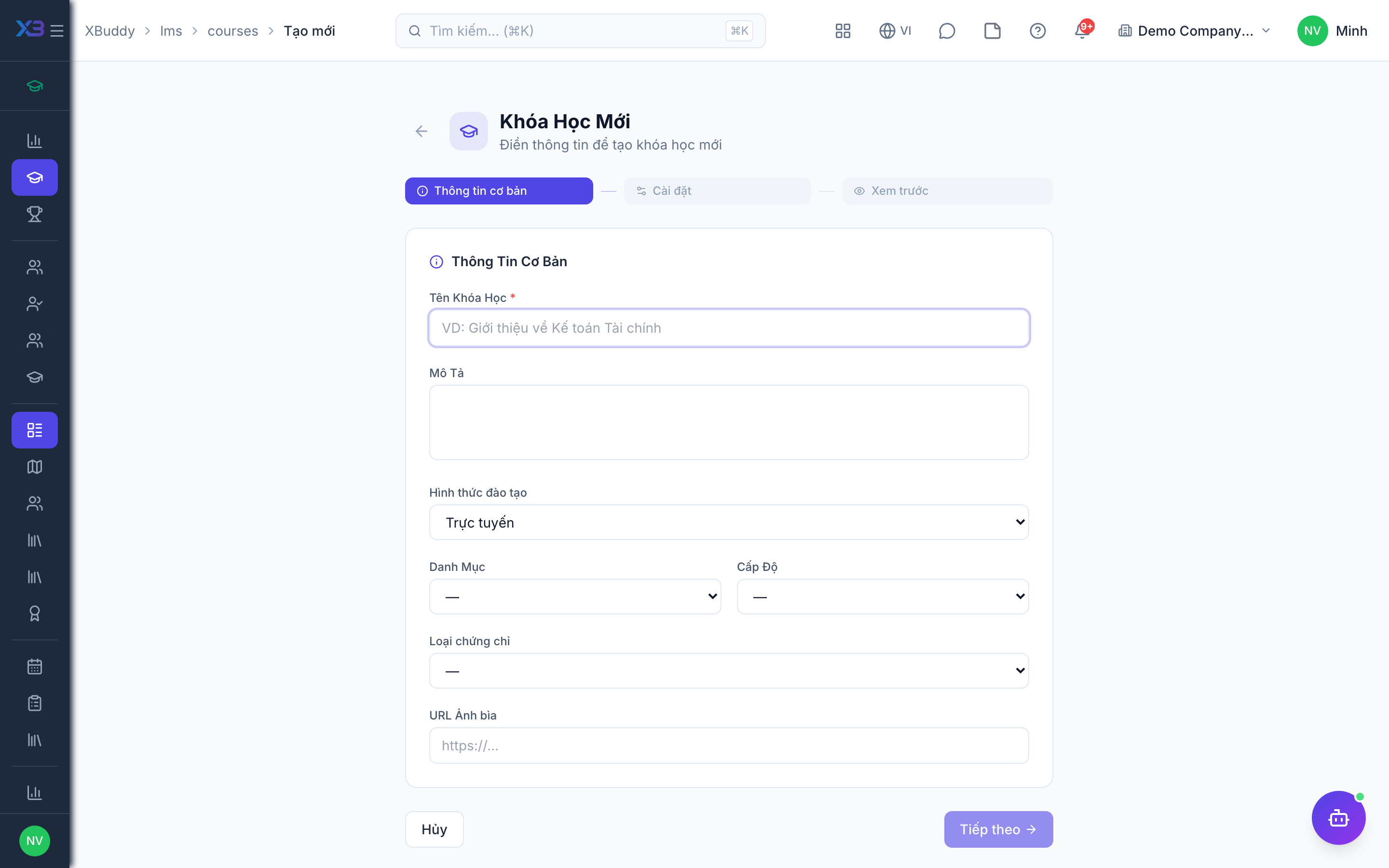
- Course authoring from video, documents, SCORM 1.2 packages, and inline content
- Learning Paths that sequence courses into structured programs
- Catalog with self-enrolment and admin-driven enrolment
- Enrolment Rules — auto-assign training by role, department, or hire date
- Assessments and a reusable Question Bank with multiple question types
- Instructor-led (ILT) Sessions with scheduling and attendance
- Certificates issued on completion, with expiry for recurring compliance
- Badges and a Leaderboard for gamified engagement
- Learner management registry with per-learner profiles and history
- Team view for managers to monitor completion and overdue compliance
- Reports on completion, compliance status, and assessment performance
- AI Hub agents and Workflows for reminders, escalations, and roll-over
Important features
Full feature reference
| Nav item | Path | What it does |
|---|---|---|
| Overview | /lms | KPI dashboard — active learners, completion rate, overdue compliance, upcoming sessions |
| Catalog | /lms | Browse and self-enrol in published courses and paths |
| My Learning | /lms/my-learning | The learner’s assigned and in-progress courses |
| My Submissions | /lms/my-submissions | The learner’s assessment attempts and results |
| Leaderboard | /lms/leaderboard | Organization-wide points ranking |
| Team | /lms/team | Manager view of team completion and overdue compliance |
| Learners | /lms/learners | Learner registry with per-learner profiles and history |
| Courses | /lms/courses | Author and publish courses from mixed content and SCORM |
| Paths | /lms/paths | Sequence courses into structured learning paths |
| Certificates | /lms/certificates | Issued certificates, templates, and expiry management |
| Sessions | /lms/sessions | Instructor-led (ILT) session scheduling and attendance |
| Assessments | /lms/assessments | Build quizzes and tests with pass marks and attempts |
| Question Bank | /lms/question-bank | Reusable pool of questions grouped by topic |
| Reports | /lms/reports | Completion, compliance, and assessment performance reports |
| AI Hub | /lms/ai-hub | AI agents scoped to learning and compliance |
| Workflows | /lms/workflows | Automation for reminders, escalations, and re-enrolment |
| Enrollment Rules | /lms/enrollment-rules | Auto-assign training by role, department, or hire date |
| Badges | /lms/badges | Define gamification badges and award criteria |
| Settings | /lms/settings | Catalog visibility, SCORM, certificate templates, and gamification toggles |
Integration points
| Integrates with | Direction | What flows |
|---|---|---|
| HR | Inbound | Employee records, roles, departments, and hire dates drive enrolment rules and compliance targets |
| Performance | Bidirectional | Course completions and skills feed development plans; performance gaps trigger training recommendations |
| Self-Service | Outbound | Employees see assigned training, certificates, and progress in their self-service portal |
Related AI agents
| Agent | What it does |
|---|---|
| Learning Coordinator | Tracks compliance-training status, re-enrols learners on lapsed certificates, nudges overdue courses, recommends courses to close skill gaps, and summarises team learning progress |