Work orders & material consumption
A work order executes production for a quantity of a product. It explodes the BOM into required materials, consumes them from stock as production runs, and receives finished goods back into inventory.
When to use
Use a work order each time you want to make a quantity of a product and have stock, cost, and the ledger follow along.
Before you start
- Permissions:
manufacturing:readto view,manufacturing:writeto create and change status,manufacturing:executeto record consumption and operations,manufacturing:deleteto delete. - Attachments also need
documents:read. - Toggles: none specific to this app.
- The product needs a BOM first.
Steps
Create the work order
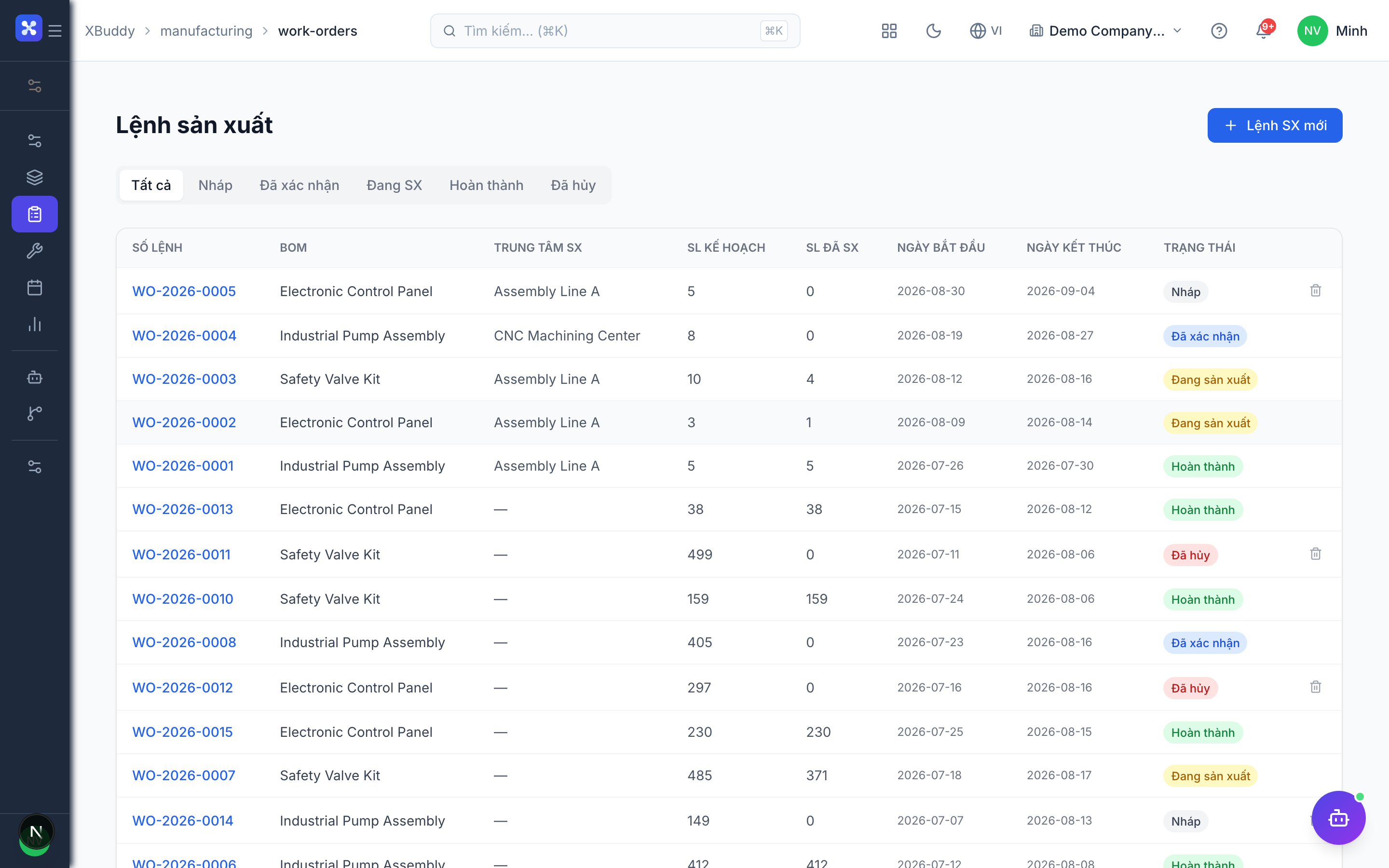
Go to Manufacturing → Work Orders → New Work Order (/manufacturing/work-orders), pick the product and quantity; the BOM explodes into a planned material list and the routing becomes the operations list.
Check materials
Before starting, run the material check to see whether stock covers the BOM times the planned quantity (see Material shortages).
Release and start
Release the order, then start it. Starting issues the raw materials out of stock in the same transaction.
Record actual consumption and minutes
On the order page (/manufacturing/work-orders/[id]), record the actual material consumed and the actual minutes per operation.
Complete and receive
Complete the order. Finished goods are received into inventory and the actual cost (labor and materials) is calculated. Cancelling instead reverses the stock movements.
Tips & common mistakes
- Always record actual consumption; planned consumption is only the estimate from the BOM.
- A failed quality check on an operation blocks completion — fix or re-check it first.
- You can delete an order only while it is a draft or cancelled.
- Attach drawings or instructions to the order and print the PDF for the shop floor.