Asset audits
An audit reconciles what the register says against what is physically present. It surfaces missing, misplaced, or unrecorded assets so the register stays trustworthy.
When to use
Use an audit to count assets in a location (yearly, at handover or after a move) and find what is missing.
Before you start
- Open
/asset-management/audit. Permissions:assets:readto view;assets:auditto scan, complete and reopen. - Audit sessions are per location; labels with QR/barcode make scanning fast.
Start an audit
Go to Asset Management → Audit → New Audit and scope it to a location or category.
Verify each asset
Confirm presence and condition; discrepancies are flagged for follow-up.
Reconcile
Resolve differences — update location, mark disposed, or investigate — and close the audit.
Scan assets
Scan each asset in the location. An asset can be scanned once per session; quantity-tracked assets record the counted quantity.
Complete the session
When you complete, assets expected in that location but not scanned are marked lost, deactivated and their open assignment is closed. Disposed or stolen assets are left unchanged.
Reopen if needed
A completed session can be reopened within 7 days, which restores the assets this session marked lost.
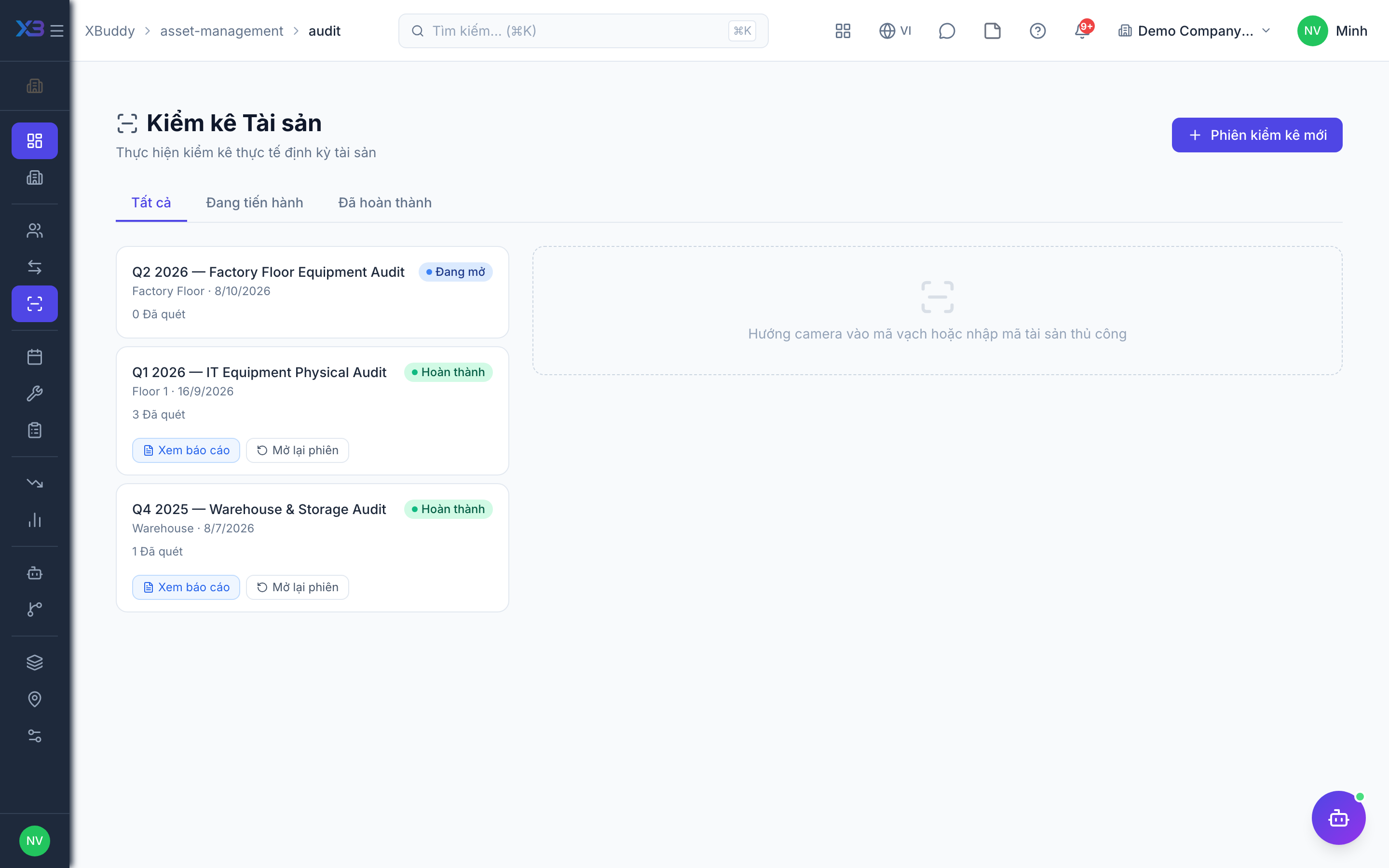
Statuses
| Status | Meaning | Who moves it |
|---|---|---|
| Open | Counting in progress. | Auditor (assets:audit). |
| Completed | Counting closed; missing assets marked lost. | Auditor (assets:audit). Can be reopened for 7 days. |
Tips & common mistakes
- Scan everything before pressing Complete; unscanned assets become lost.
- Audit one location at a time so the expected list is accurate.
- Check lost assets before reopening — a reopen restores only those lost by this session.
- Move assets to the right location first via a transfer, then audit.