Service Orders — the unit of billable work
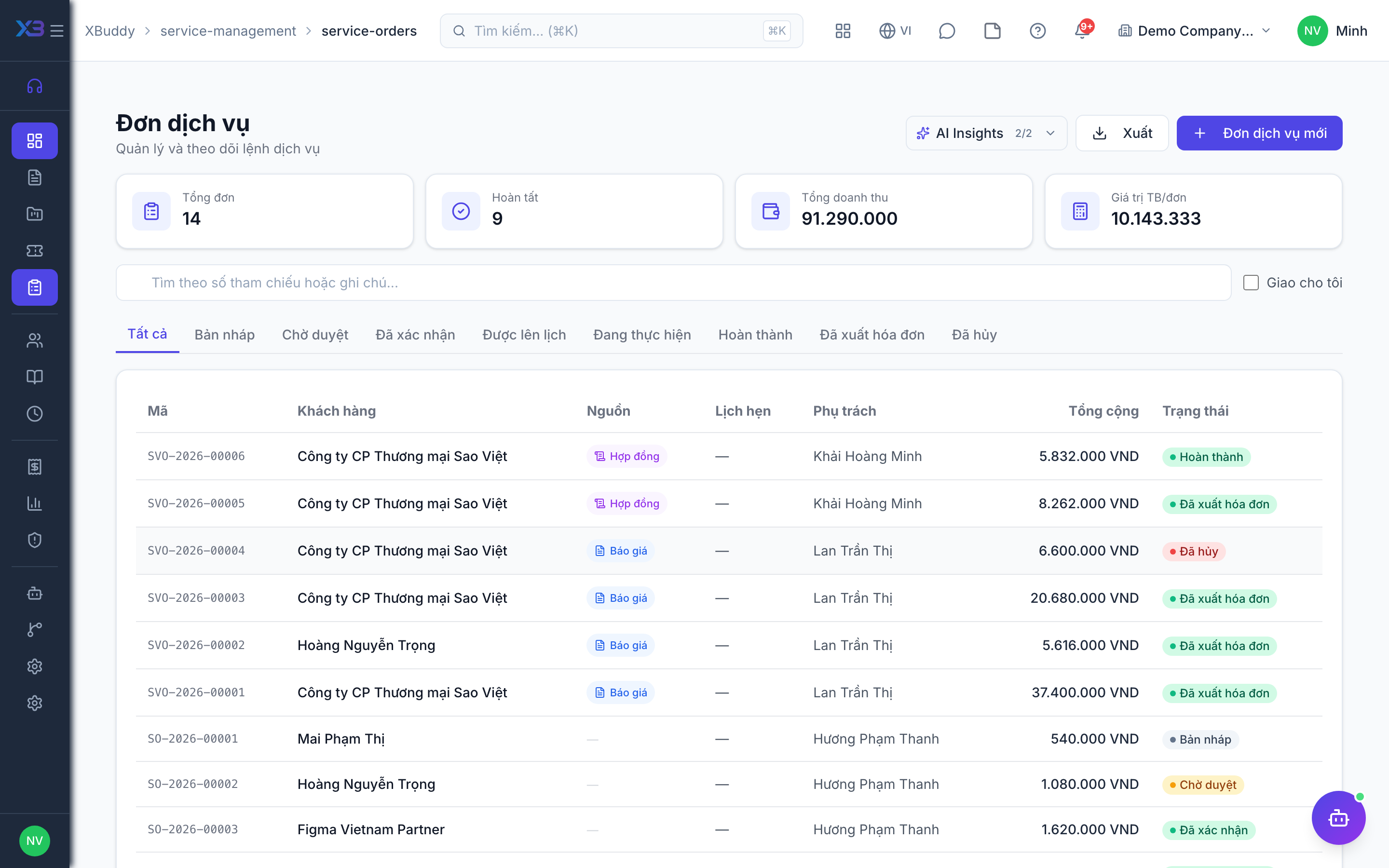
A Service Order is the specific, billable engagement the team actually delivers: a defined scope of work with line items, optional parts, and (for larger engagements) milestones. It is the one document every billing model in this app eventually touches, whether directly or through a linked Contract.
Where a Service Order comes from
- From a Quotation — the standard sales-to-delivery path for one-off service work. The customer accepts a quote; it converts into a Service Order ready to schedule.
- Under a Service Contract — recurring or ongoing engagements raise Service Orders against an existing contract, inheriting its rate card, term, and account.
- Standalone — created directly for ad hoc or internal work that doesn’t need a contract.
Service Order lifecycle
Draft
The order is created with scope, line items, and (optionally) linked parts from inventory. Nothing has been committed to a schedule or billed yet.
Confirmed
The order is accepted and scheduled. If the work requires an on-site visit, it can be dispatched to Field Service from here (see Dispatch to Field Service below).
In progress
Work is underway. Agents log time against the order via Timesheets; if parts are used, they’re consumed from the linked inventory item.
Completed
The order’s scope is delivered. For milestone-based orders, individual milestones complete independently and can be staged for billing as each one finishes — the order itself completes when all milestones are done.
Invoiced
Billing has generated a Finance invoice from the order (in full or in part — partial invoicing is supported so you can bill a portion of a large order without waiting for the whole thing to close).
Line items and parts
A Service Order’s line items describe what’s being delivered — labor (priced from the Service Catalog), fixed fees, or physical parts. Parts lines reference an inventory item; when the order moves through fulfillment, that consumption is reflected against stock the same way any other inventory movement is, so a service engagement that uses spare parts doesn’t need a separate, disconnected stock adjustment.
Milestones
For fixed-price and larger engagements, a Service Order can be broken into milestones — discrete, priced phases of the work (e.g. “Discovery,” “Implementation,” “Go-live”). Each milestone tracks its own completion status independently, which is what lets the fixed-price billing model invoice as work progresses instead of waiting for the entire order to close.
Dispatch to Field Service
Work that requires a technician on-site is dispatched from the Service Order into the Field Service app, which owns everything about the on-site visit itself:
Dispatch
From a confirmed Service Order, dispatch creates a linked Field Service job — carrying over the customer, address, and scope of work.
Schedule and execute
Field Service handles technician assignment and scheduling, tracks parts used during the visit, and records the work performed.
Capture acceptance
The customer signs off or otherwise confirms completion in Field Service.
Report back
Completion status, time spent, and parts consumed flow back to the originating Service Order, so the office side sees the job as done without a manual update.
The Service Order stays the commercial record — scope, price, contract linkage, billing status. Field Service owns the operational record — who went, when, what they did, what they used. Keeping them separate means a dispatcher can re-schedule a visit without touching the commercial terms, and a billing reviewer never has to dig into field logistics to know whether an order is ready to invoice.