Non-conformance reports (NCR) lifecycle
An NCR is the record of anything that failed to meet spec. It carries the finding through investigation, disposition (accept, rework, scrap, return), and closure, with corrective/preventive actions logged along the way.
When to use
Use an NCR for every defect, failed delivery or process breach that needs an owner, a fix and proof the fix worked.
Before you start
- Open
/quality/ncr. Permissions:quality:readto view,quality:writeto create and comment,quality:approveto assign, change status and verify. - Toggles:
quality.require_root_cause_on_ncrandquality.require_corrective_action_on_ncr(both default on) are required before review / resolution;quality.ncr_due_date_requiredandquality.ncr_verification_notes_required(default off, on for new companies) require a due date to assign and notes to verify.
Open an NCR
An NCR is raised automatically from a failed inspection, or manually in Quality → NCR → New NCR. Capture the defect, severity, and affected quantity.
Investigate and disposition
Assign an owner, record root cause, and choose a disposition — accept as-is, rework, scrap, or return to supplier.
Escalate if needed
High-severity or overdue NCRs escalate to the quality manager so critical issues are not sitting idle.
Close
Once corrective actions are verified, close the NCR. The full history stays on record for audit.
Assign with a due date
Assign the NCR to a responsible user and set a due date. The list highlights overdue and unverified NCRs.
Discuss and attach evidence
Use comments and attach files (viewing attachments needs documents:read).
Verify the corrective action
Verification records who confirmed the fix. It does not close the NCR on its own.
Create many at once
Several NCRs can be created in one go, for example after a stocktake or a damaged delivery.
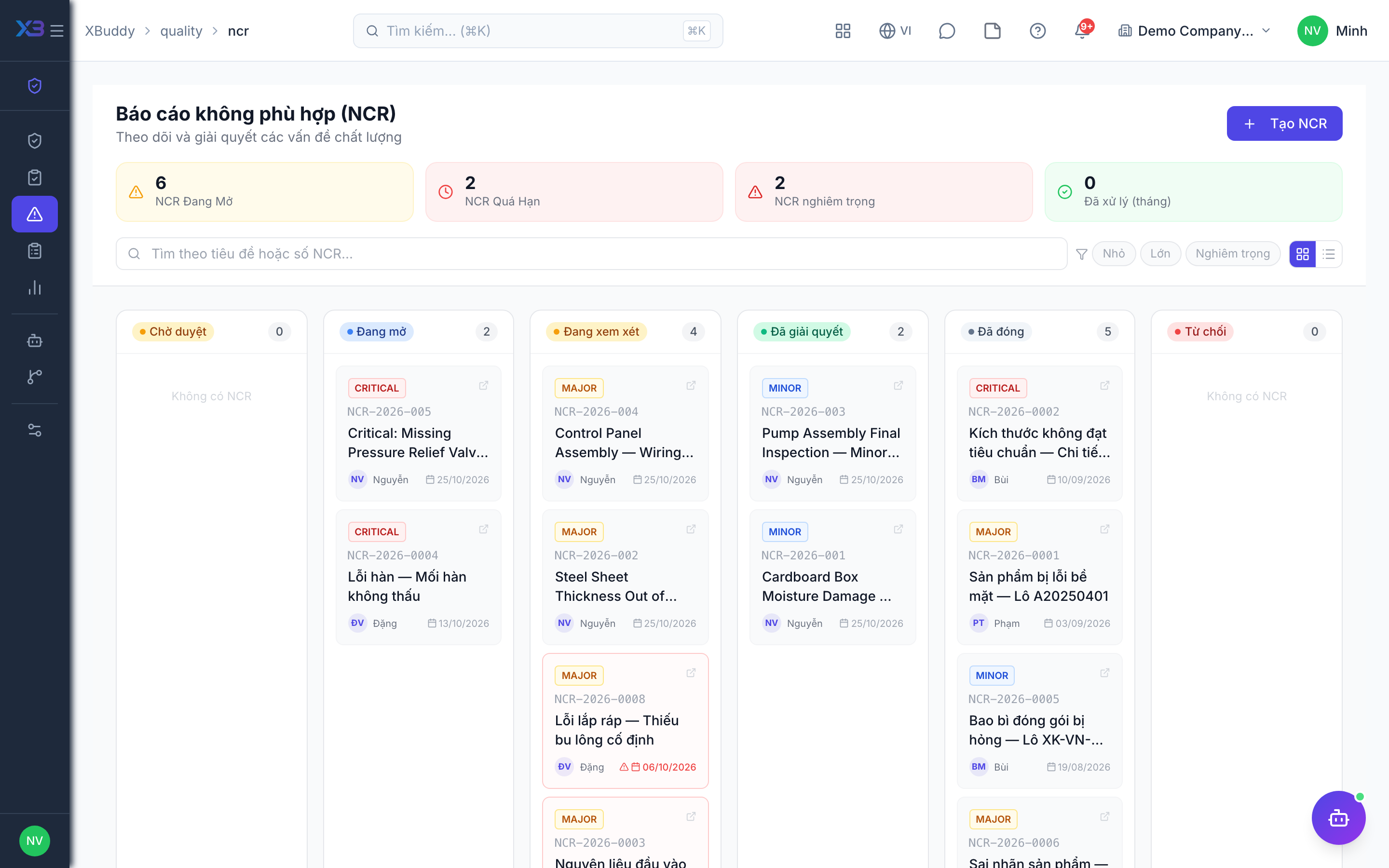
Statuses
| Status | Meaning | Who moves it |
|---|---|---|
| Open | Defect recorded. | Anyone with quality:write, or the system on a failed inspection. |
| Under review | Being investigated; root cause recorded. | Approver (quality:approve). |
| Resolved | Corrective action done. | Approver (quality:approve). |
| Closed | Finished; history kept. | Approver (quality:approve). |
| Reopened | A closed NCR can only go back to open. | Approver (quality:approve). |
Tips & common mistakes
- Record the root cause before moving to review; the system blocks it otherwise.
- Corrective and preventive actions live inside the NCR — there is no separate CAPA record.
- Verify before closing so the audit shows who confirmed the fix.
- Use the overdue list weekly rather than waiting for escalation.