Costing & valuation
The costing policy decides how the cost of goods leaving stock is calculated. The valuation report shows what your stock is worth.
When to use
Set the policy when you start and review it with your chief accountant. Use the valuation report at period end.
Before you start
- Open
/inventory/settings/valuation(policy) and/inventory/reports(valuation report). Changing the policy needsaccounting:admin; the valuation report needsinventory:audit. - Methods: moving average, periodic average (month, quarter or year), FIFO, specific identification by lot, and standard cost. The scope can be per warehouse, company-wide or per branch.
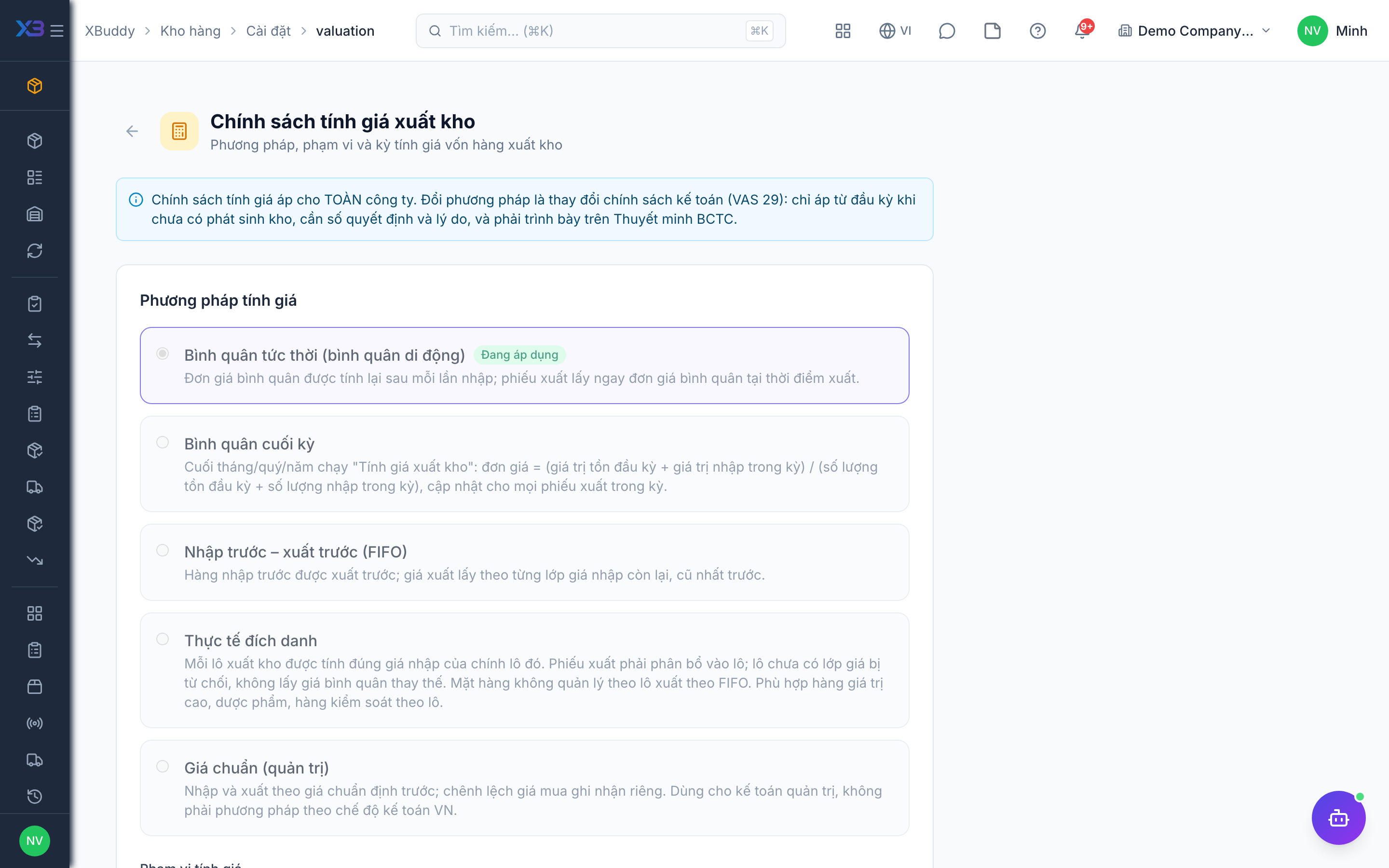
Pick the method and scope
Choose method and scope on the valuation settings page.
Record the reason for a change
A change needs a decision number and a reason, is blocked once the period already has movements, and is logged. Changing from average to FIFO does not change inventory value — FIFO layers start from the current average cost.
Run the valuation report
Open the report to see quantity and value by item and warehouse.
Tips & common mistakes
- Treat a method change as an accounting policy change — involve your accountant.
- Only the “standard” method allows editing cost by hand.
- Landed costs and period-average allocation (
inventory.period_cost_allocation, default on) affect unit cost; review them before closing a period. - If stock value in the report differs from the ledger, use Operations & repair.