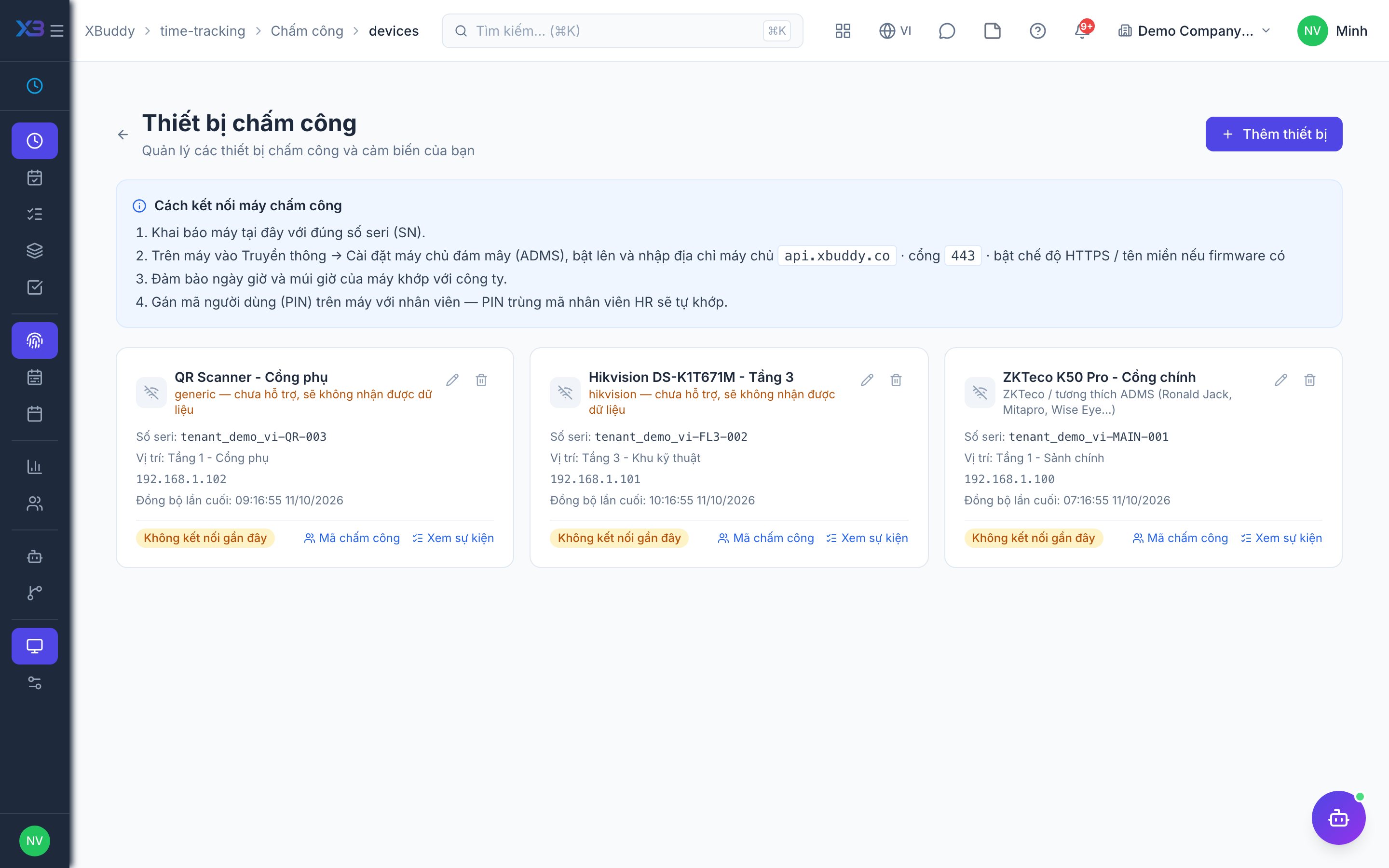
Time-clock devices (including ZKTeco)
Physical terminals let on-site staff punch in and out without opening the app. XBuddy speaks the ZKTeco push protocol natively, so compatible biometric and card readers can be registered and start feeding attendance without a custom integration.
When to use
Use this when on-site staff punch on a physical terminal instead of the app. Registering the terminal is what makes its punches count as attendance.
Before you start
- Permission:
attendance:manageto open the devices page (/time-tracking/attendance/devices). - You need the terminal’s serial number; the terminal must support the ADMS push protocol.
- Employees need a badge ID on their record so punches can be matched.
Register a device
Go to Time Tracking → Devices (/time-tracking/attendance/devices) and register the device’s serial number. XBuddy issues a device key that the terminal must present with every push.
Point the device at XBuddy
Configure the terminal’s push-server address. On handshake, the terminal receives its polling options; it then posts attendance logs (check-in/out events, tagged with the employee’s badge ID) to XBuddy in real time.
Punches become attendance records
Each punch is matched to an employee and appended to their daily attendance, exactly as if they’d clocked in through the app. Pushes from an unregistered device, or with a missing/incorrect device key, are rejected — they never silently create attendance for the wrong device.
A device only needs its serial number and device key to start pushing data — no VPN or custom middleware required. If a terminal can reach XBuddy over the internet, it can push attendance.
Device checklist
| Check | Why |
|---|---|
| Serial number registered | Pushes from unregistered devices are rejected |
| Device key configured on the terminal | A missing or wrong key is rejected |
| Badge ID on each employee | Punches are matched to people by badge ID |
Tips & common mistakes
- Register the device before pointing the terminal at XBuddy.
- Punches from all sources feed the same punch log, with short-interval duplicates filtered.
- Only ADMS push terminals are supported; the list of brands and models has not been verified.
- A punch that does not match an employee will not become attendance; check the badge ID first.