Asset register, categories & locations
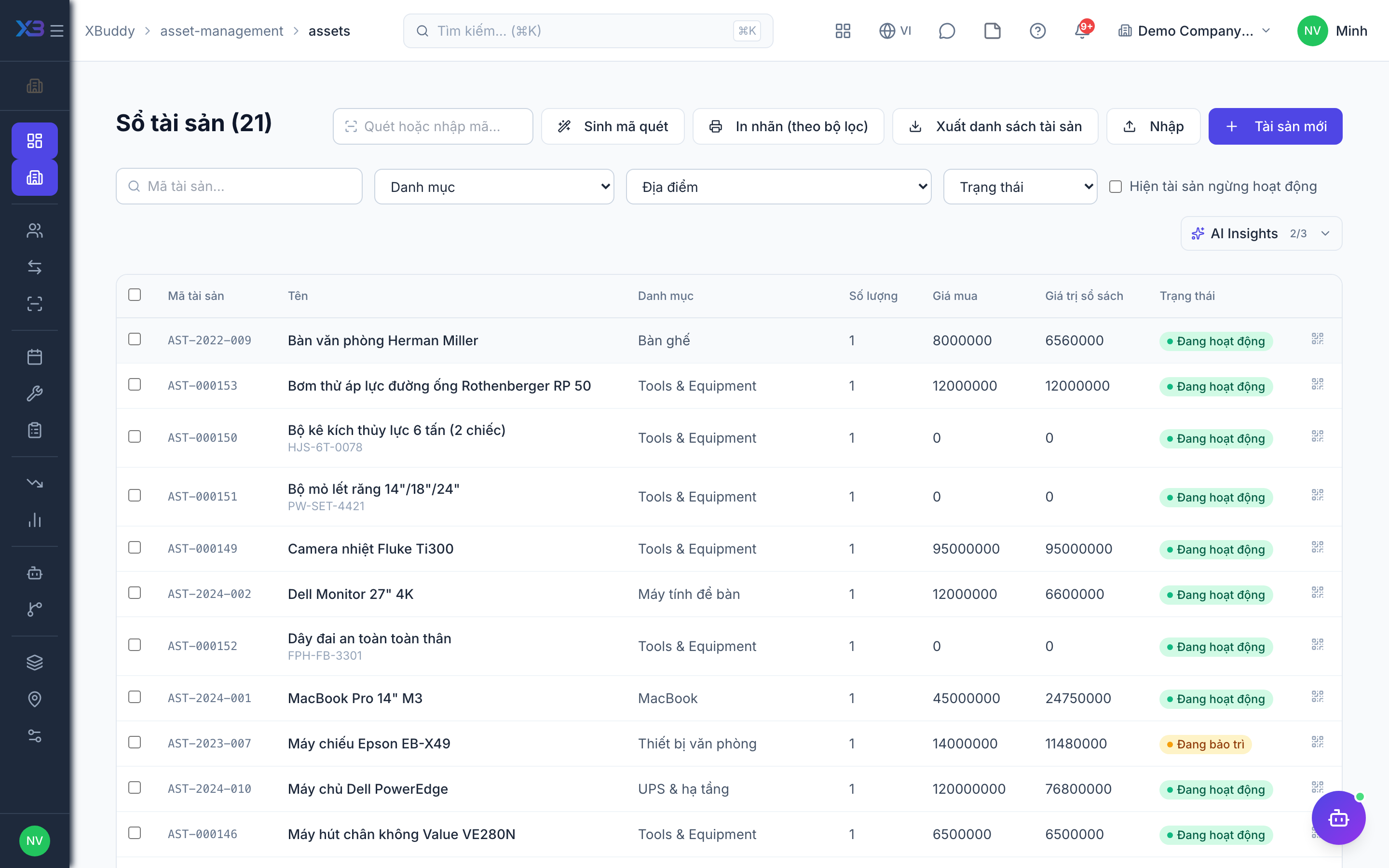
The register is the master list of every asset. Categories group assets by type (with defaults like depreciation method), and locations describe where each asset physically sits.
When to use
Set up categories and locations first, then add every asset you want to track — as individual items (serialized) or as a quantity per location.
Before you start
- Permissions:
assets:readto view/asset-management/assets;assets:writeto create and edit;assets:adminto manage/asset-management/categories,/asset-management/locationsand settings. - Toggle:
asset.require_category_on_create(default off, on for new companies) forces a category on every new asset. - A category can hold a GL account mapping and a maintenance cycle that assets inherit.
Set up categories and locations
Go to Asset Management → Asset Categories to define asset types, then Asset Locations to build your site/room/zone structure.
Add an asset
Go to Asset Management → Asset Register → New Asset. Set its category, location, acquisition cost, and lifecycle status.
Link the source document
If the asset came from a purchase, link its PO/goods receipt so the acquisition value and document chain are captured.
Import from a file
Use the import on the register to load many assets from CSV. A preview shows problems before anything is saved.
Capitalise from a purchase or stock
Goods receipt lines marked as assets create the register entry and the accounting fixed-asset card automatically; you can also capitalise an item that is already in stock.
Print labels
Print QR/barcode labels from the asset. Scanning a link-style QR opens the asset, if it is within the scanner’s data scope.
Tips & common mistakes
- Choose serialized for items you must follow one by one (laptops, machines) and quantity for bulk items (chairs).
- Do not delete a category or location in use — it is blocked; reorganise first.
- Consumables (parts, supplies) belong to Inventory, not the register.
- The register is the operational book; the accounting fixed-asset card holds cost and depreciation entries. Both are linked.