Stock transfers & adjustments
Transfers move stock between warehouses; adjustments correct on-hand for damage, loss, or count differences. Both operate in the base unit.
When to use
Use a transfer to move stock between warehouses. For quantity corrections use a stock adjustment (see Stock adjustments) or a stocktake.
Before you start
- Permissions:
inventory:readfor/inventory/transfersand/inventory/adjustments;inventory:writeto create and ship a transfer;inventory:approveto confirm, complete or cancel a confirmed transfer;inventory:stocktaketo change on-hand directly. - Toggle:
inventory.negative_stock_allowed(default off) — with it off you cannot move more than is on hand.
Transfer stock
Go to Inventory → Transfers → New Transfer, choose source and destination warehouses, and the items/quantities to move.
Adjust stock
For corrections, use Inventory → Adjustments to increase or decrease on-hand with a reason; the change posts to Accounting.
Confirm, ship and receive
Confirming takes the stock out of the source warehouse. Mark it shipped when it leaves, and Complete when the destination receives it — only then does stock appear at the destination.
Cancel a transfer in transit
A transfer that is cancelled in transit is recorded as returned (stock restored) or lost (not restored).
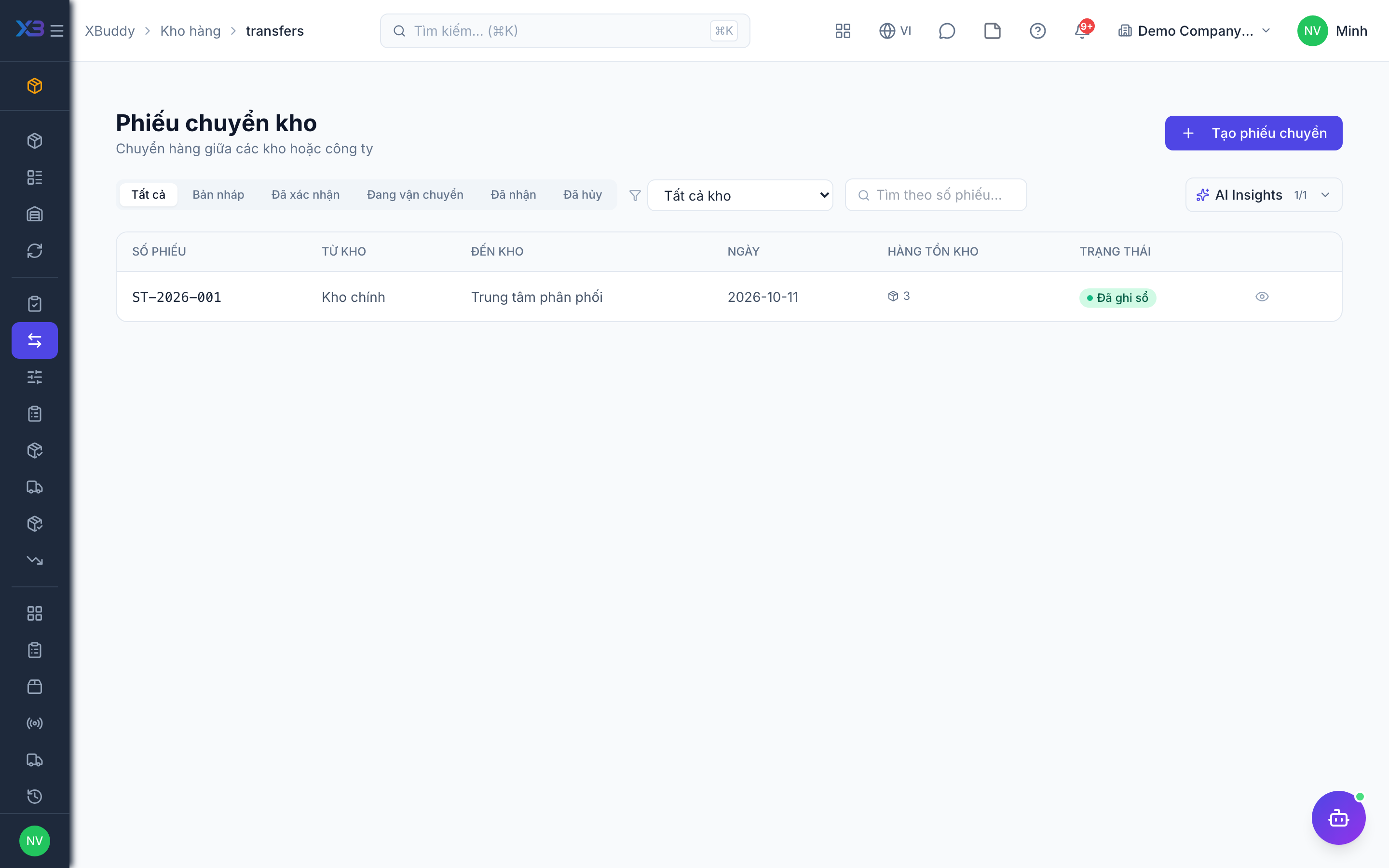
Statuses
| Status | Meaning | Who moves it |
|---|---|---|
| Draft | Being prepared; no stock effect. | Warehouse (inventory:write). |
| Confirmed | Stock deducted from the source. | Approver (inventory:approve). |
| In transit | Shipped, not yet received. | Warehouse (inventory:write). |
| Completed | Received; stock added at destination. | Approver (inventory:approve). |
| Cancelled | Stopped; stock restored unless lost. | Warehouse; cancelling a confirmed one needs inventory:approve. |
Tips & common mistakes
- Stock sits “in transit” between confirm and complete — it is in neither warehouse; complete promptly.
- Choose “lost” only when goods are really gone; it does not restore stock.
- Do not use transfers to fix a count — use an adjustment or a stocktake.