Time Tracking
XBuddy Time Tracking is the single place for all time capture — both what the time was spent on (project/task time entries and general entries) and when people actually worked (attendance, schedules, overtime, and physical time-clock devices). Approved timesheets and attendance flow straight into Payroll for pay calculation, and billable project time flows into project billing.
One app, two kinds of time. Entries (/time-tracking/entries, /time-tracking/general-entries) capture what work was done and whether it’s billable. Attendance (/time-tracking/attendance) captures when someone was clocked in — check-in/out, schedule adherence, and overtime. Both feed Payroll; only billable entries feed client invoicing.
Time Tracking owns attendance and biometric devices — this used to live in the HR app and moved here in 2026 so there is one place for all time capture. HR still shows each employee a read-only view of their own attendance in Employee Service, and both apps share the same reporting line for team-based visibility.
Key Features
- Time Entries against projects and tasks, flagged billable or non-billable
- General Entries for time not tied to a project (internal work, admin, ad-hoc tasks)
- Timesheet approval that gates hours before they reach billing or payroll
- Attendance with clock in/out, daily hour totals, and schedule reconciliation
- Roster — a team-wide view of who’s scheduled, present, or on leave
- Work Schedules defining expected hours, shifts, and working days
- Overtime requests with an approval workflow and configurable overtime rules
- Biometric and card-based time-clock Devices, including native ZKTeco push-protocol support
- Attendance adjustments and holiday calendar management
- Reports on hours by project, utilisation, and attendance
- AI Hub agents and Workflows for submission reminders, anomaly flags, and approval routing
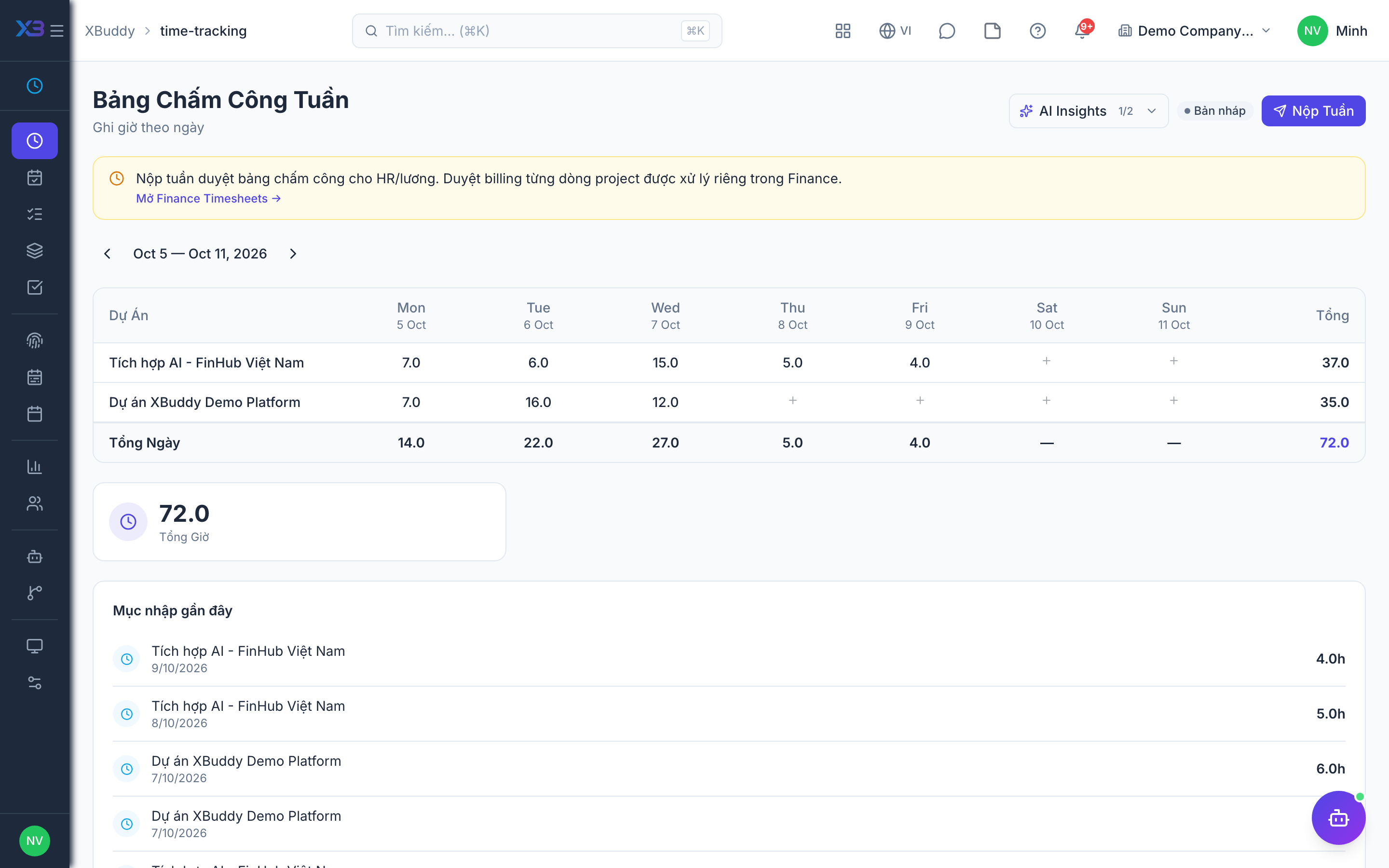
Important features
Full feature reference
| Nav item | Path | What it does |
|---|---|---|
| Overview | /time-tracking | KPI dashboard — hours logged, billable ratio, pending approvals. |
| Entries | /time-tracking/entries | Log and manage time entries against projects and tasks. |
| General Entries | /time-tracking/general-entries | Log time not tied to a project (internal work, admin, ad-hoc tasks). |
| Approve | /time-tracking/approve | Manager review and approval of submitted timesheets before billing/payroll. |
| Attendance | /time-tracking/attendance | Clock in/out, daily attendance totals, and tabs for overtime, schedules, adjustments, holidays, devices, and overtime rules. |
| Roster | /time-tracking/roster | Team-wide view of who’s scheduled, clocked in, or on leave. |
| Schedules | /time-tracking/schedules | Define and assign expected working hours and shifts. |
| Reports | /time-tracking/reports | Hours by project, utilisation, and attendance reports. |
| Employees | /time-tracking/employees | Employee directory scoped to time-tracking data. |
| Devices | /time-tracking/attendance/devices | Register and manage physical time-clock terminals, including ZKTeco devices. |
| AI Hub | /time-tracking/automation/agents | AI agents scoped to time and attendance. |
| Workflows | /time-tracking/automation/workflows | Automation for submission reminders and approval routing. |
| Settings | /time-tracking/settings | Billable defaults, rounding rules, overtime policy, and device configuration. |
Integration points
| Integrates with | Direction | What flows |
|---|---|---|
| Payroll | Outbound | Attendance and approved overtime hours feed the pay run. |
| Finance | Outbound | Approved billable hours generate client invoices. |
| Projects | Bidirectional | Entries log against project tasks; actual hours feed project cost and progress. |
| HR | Bidirectional | Shares the same employee directory and reporting line; HR’s Employee Service shows a read-only view of the employee’s own attendance. |
Related AI agents
| Agent | What it does |
|---|---|
| HR Ops | Flags missing or late timesheets, spots attendance anomalies and unusual overtime patterns, nudges employees to submit, and reminds managers of pending approvals. |