Project templates and statuses
When to use
Use a template when you run similar projects again and again, such as onboarding a customer or delivering a standard service. Use this page too when you need to know what a project status allows and which settings change that.
Before you start
- You need
projects:readto browse templates andprojects:writeto create a project from a template or save a project as one. - The templates page is Project templates (
/projects/templates). - Status rules are controlled in Settings (
/projects/settings, needsprojects:admin). All are off by default:projects.block_close_with_open_tasks,projects.budget_approval_required,projects.closure_approval_required,projects.block_work_on_hold. projects.kickoff_threshold(default 50000000) is the amount used by the project kickoff approval workflow, which runs on theproject_changesubject.
Steps
Browse templates
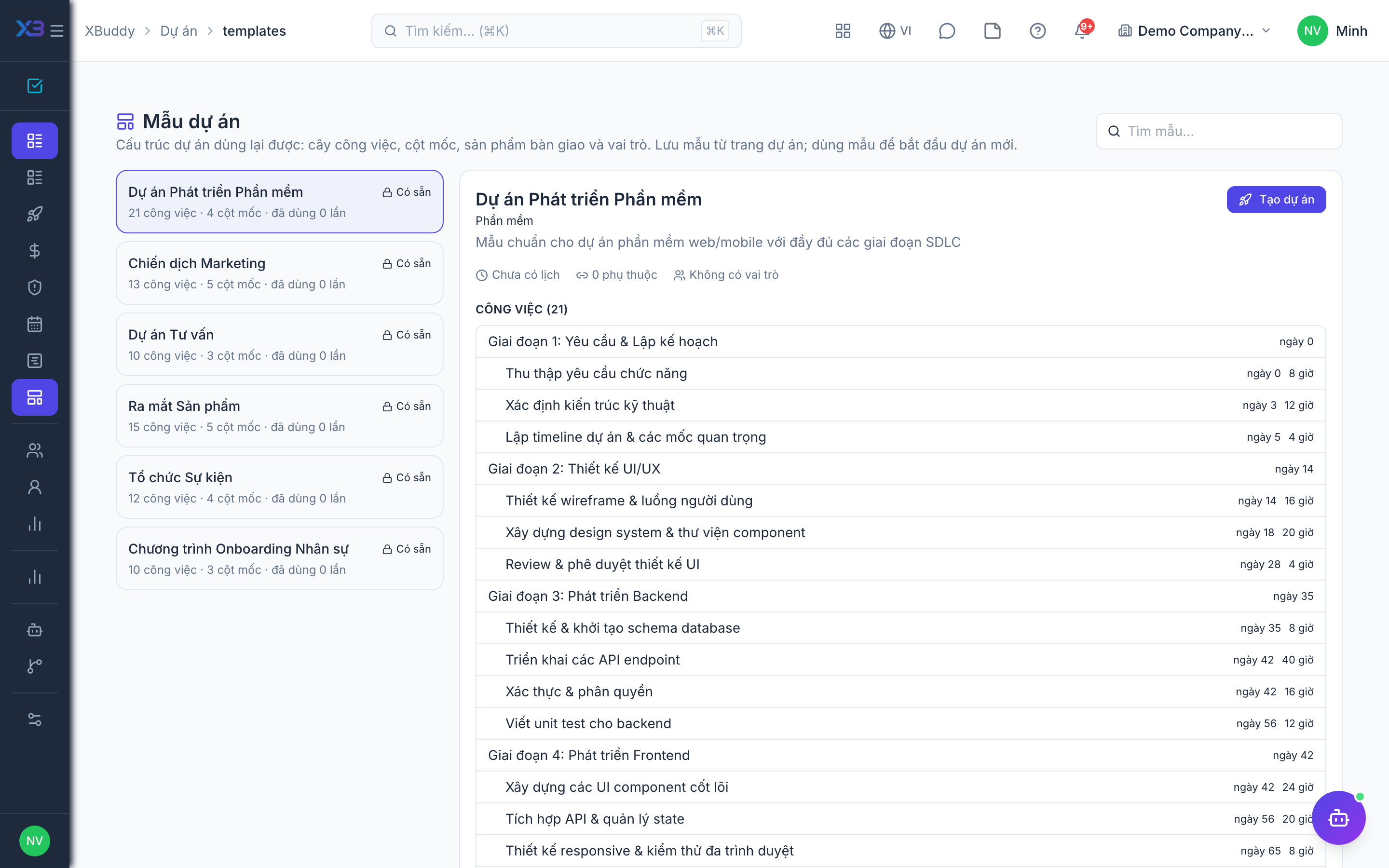
Open Project templates (/projects/templates) to see the templates your company has.
Create a project from a template
Choose a template and use it to create a new project. Then set the owner, dates, and budget as for any other project.
Save a project as a template
Open a project that went well and save it as a template, so the next project starts with the same structure.
Start from a marketing campaign
On a campaign in the marketing app you can create a project directly from the campaign, which keeps the link to the customer and campaign.
Move the project through its statuses
Change the status as work progresses. If your company requires approval for the kickoff or the closing, the project waits for the approver before it moves on.
Statuses
| Status | What it allows | Setting that changes it |
|---|---|---|
| Planning | Setup, budgeting, scheduling. | None. |
| In progress | Time, expenses, and billing. | projects.budget_approval_required: needs an approved budget first. |
| On hold | Work is paused. | projects.block_work_on_hold: blocks new work from being logged. |
| Closed | The project is finished. | projects.block_close_with_open_tasks blocks closing with open tasks; projects.closure_approval_required requires approval. |
Tips & common mistakes
- Keep templates short. Remove optional tasks so people do not start with a list they have to delete.
- An accepted quotation does not create a project in the interface.
- Internal projects can log all costs, but their hours are forced to non-billable, so they cannot be invoiced by mistake.
- If you cannot move a project to In progress, check whether it still needs an approved budget.