Workflow Templates
The platform catalog (public.workflow_templates) is 36 templates. Each row matches a WORKFLOW_SUBJECTS type that a domain service autoSubmits and that writes back on workflow.approved / rejected / completed. Ghost subjects, advisory (log-only) CRM/quality flows, and mis-bound names are not in the library.
Instantiating copies the template into a company workflow definition. Existing tenant definitions are not deleted when the catalog is pruned.
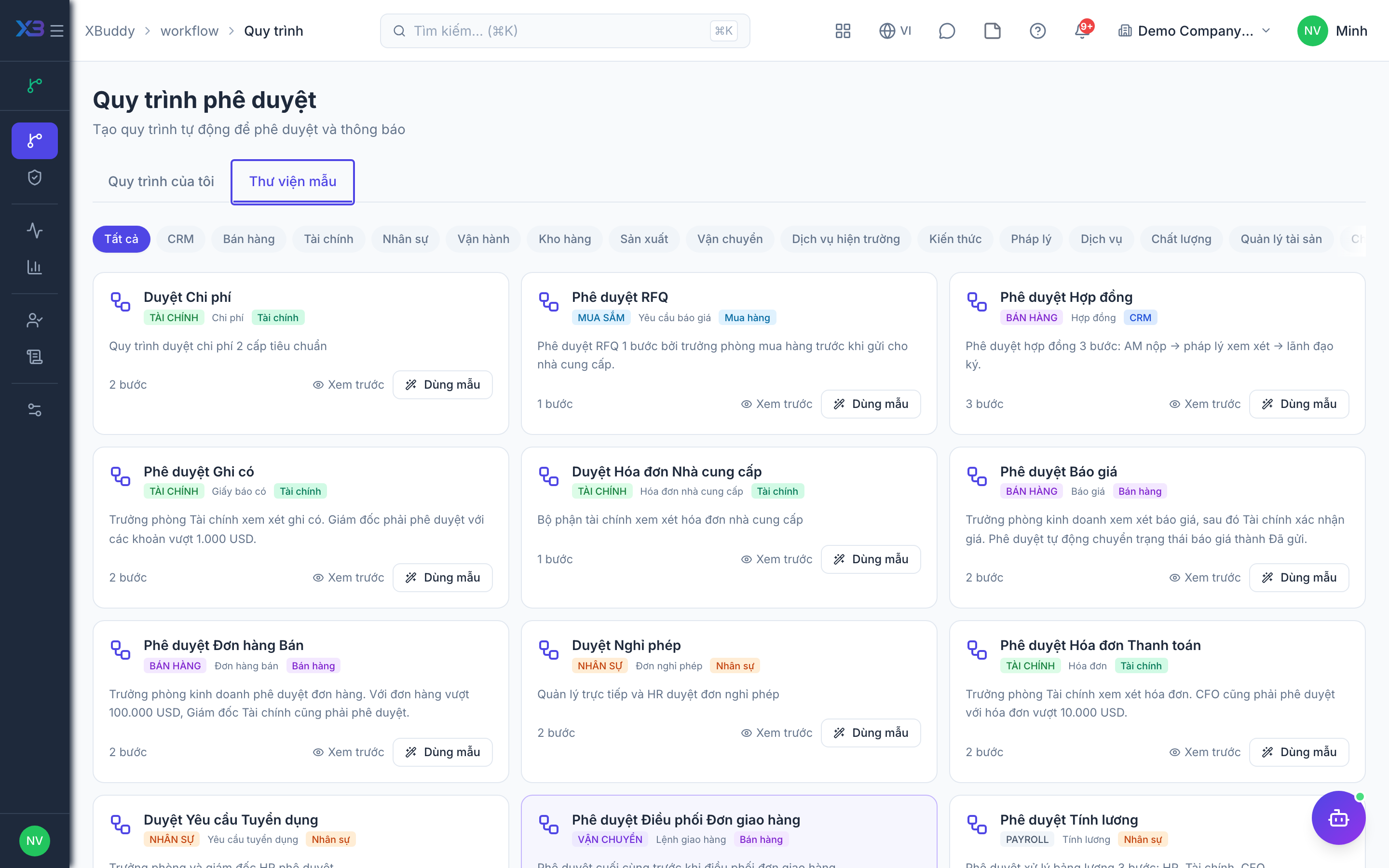
How to instantiate a template
Step 1 — Open the gallery
Go to Workflow → Workflows and click New from Template.
Step 2 — Pick a template
The card is the document type the engine will submit (subject_type).
Step 3 — Adjust
Change approver roles and thresholds in the Builder. Step conditions, forms, and step actions need the matching approval.* flags (they default off). createFromTemplate returns requiredFlags.
Step 4 — Test and activate
Activate fails with FEATURE_DISABLED until those flags are on.
A template whose subject_type is not in the registry cannot be instantiated. Catalog rows are also rejected if they target a log-only subject (inbox would not move the record).
Catalog (GA)
| Code | entityType | After approve |
|---|---|---|
invoice_approval | invoice | send() |
bill_approval | bill | approve() |
credit_note_approval | credit_note | issue / GL (after inbox) |
expense_approval | expense | approve() |
purchase_order_approval | purchase_order | approval gate |
purchase_requisition_approval | purchase_requisition | requisition approved |
rfq_approval | rfq | draft → sent |
vendor_onboarding_approval | vendor_onboarding | isApproved |
grn_approval | grn | confirmGrn |
quote_approval | quotation | → sent |
sales_order_approval | sales_order | approve() |
logistics_delivery_order_dispatch | delivery_order | ship() after inbox |
sales_commission_approval | commission_run | approveRun |
contract_approval | contract | activate |
asset_disposal_approval | asset_disposal | dispose |
asset_transfer_authorization | asset_transfer | transfer approve |
leave_approval | leave_request | approveLeave |
job_requisition_approval | job_requisition | approve requisition |
timesheet_approval | timesheet | approve timesheet |
payroll_run_approval | payroll_run | approve run |
payroll_adjustment | payroll_adjustment_request | approve adjustment |
kb_article_publication | kb_article | publish |
knowledge_doc_publication | knowledge_doc | publish document |
employee_request_approval | employee_request | request completed |
legal_review_approval | legal_review | decideReview |
service_order_approval | service_order | approve() |
stock_request_approval | stock_request | approve request |
field_service_requisition_approval | field_service_requisition | approve requisition |
sm_project_kickoff_approval | sm_project | pending_approval → planning |
field_service_tool_requisition_approval | field_service_tool_requisition | approve tool requisition |
work_order_approval | work_order | release |
return_authorization | return_order | approve return |
stocktaking_variance_approval | stocktaking_session | post variance / counted |
quality_ncr_approval | quality_ncr | pending_approval → open |
sm_contract_approval | sm_contract | draft → active |
service_contract_approval | service_contract | draft → active |
Lead / deal / shipment / BOM and similar stay in the subject registry (custom workflows) but have no gallery card: finishing inbox does not change those records. NCR does have a gallery card after 1600.
Choosing between a template and a policy
| If you want to… | Use |
|---|---|
| Decide whether approval is needed from a number | Policy |
| Decide who approves | Workflow template |
| Combine both | Policy gate + workflow chain |