The unified Inbox
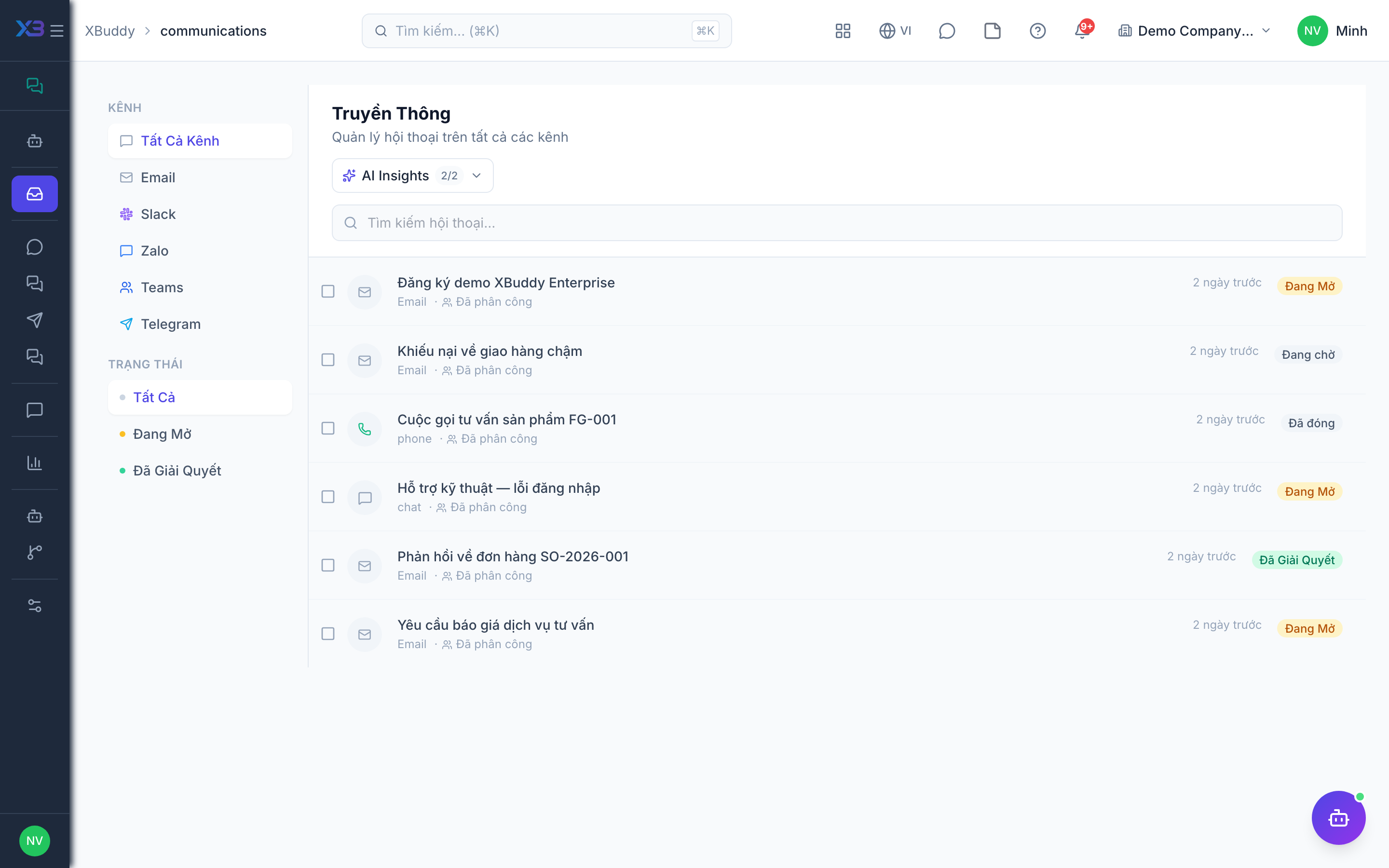
The Inbox is a single thread list spanning every connected channel. Each thread shows the channel badge, the contact, the last message, unread state, and its SLA timer.
When to use
Use the Inbox every time a customer writes in through any connected channel. It replaces checking email, Slack, Telegram, and Zalo separately, and makes it clear who owns each conversation. Managers use it to assign work; agents use it to reply and close threads.
Before you start
communications:readlets you view the Inbox, search, mark threads read, and see reports.communications:writelets you reply, assign, and resolve (including in bulk).- Visibility follows data scope (own / team / all) on the assigned person. Unassigned threads are visible to everyone who can read.
- At least one channel must be connected; see Connecting a channel.
Steps
Open the Inbox
Go to Communications → Inbox (/communications). Filter by channel, assignment, or status (open / resolved). Use the sidebar entries such as /communications?channel=email to jump straight to one channel, or the search box to find a thread by text.
Read and reply
Click any thread to open the conversation. A sidebar links the conversation to the matching CRM contact for customer context. Type a reply and send — XBuddy routes it back out through the original channel (email, Slack, etc.).
Assign and tag
Assign the thread to a teammate and add tags for reporting. Mark it Resolved when done; it reopens automatically if the customer replies.
Clear the backlog
Select several finished threads and resolve them in one action (bulk resolve).
Conversation statuses
| Status | Meaning | Next step |
|---|---|---|
| Open | Waiting for an agent reply or still in progress | Reply, assign, or resolve |
| Resolved | Handled and closed | Reopens automatically if the customer replies |
Tips & common mistakes
- Assign every thread; unassigned threads are visible to all readers and easy to leave for someone else.
- Opening a thread marks it read, which needs only
communications:read; replying needscommunications:write. - Zalo has a 48-hour reply window. The screen only advises you; the server does not block sending.
- If you cannot see a colleague’s thread, check your data scope rather than assuming it is missing.
- Use bulk resolve for spam or finished threads instead of closing them one by one.