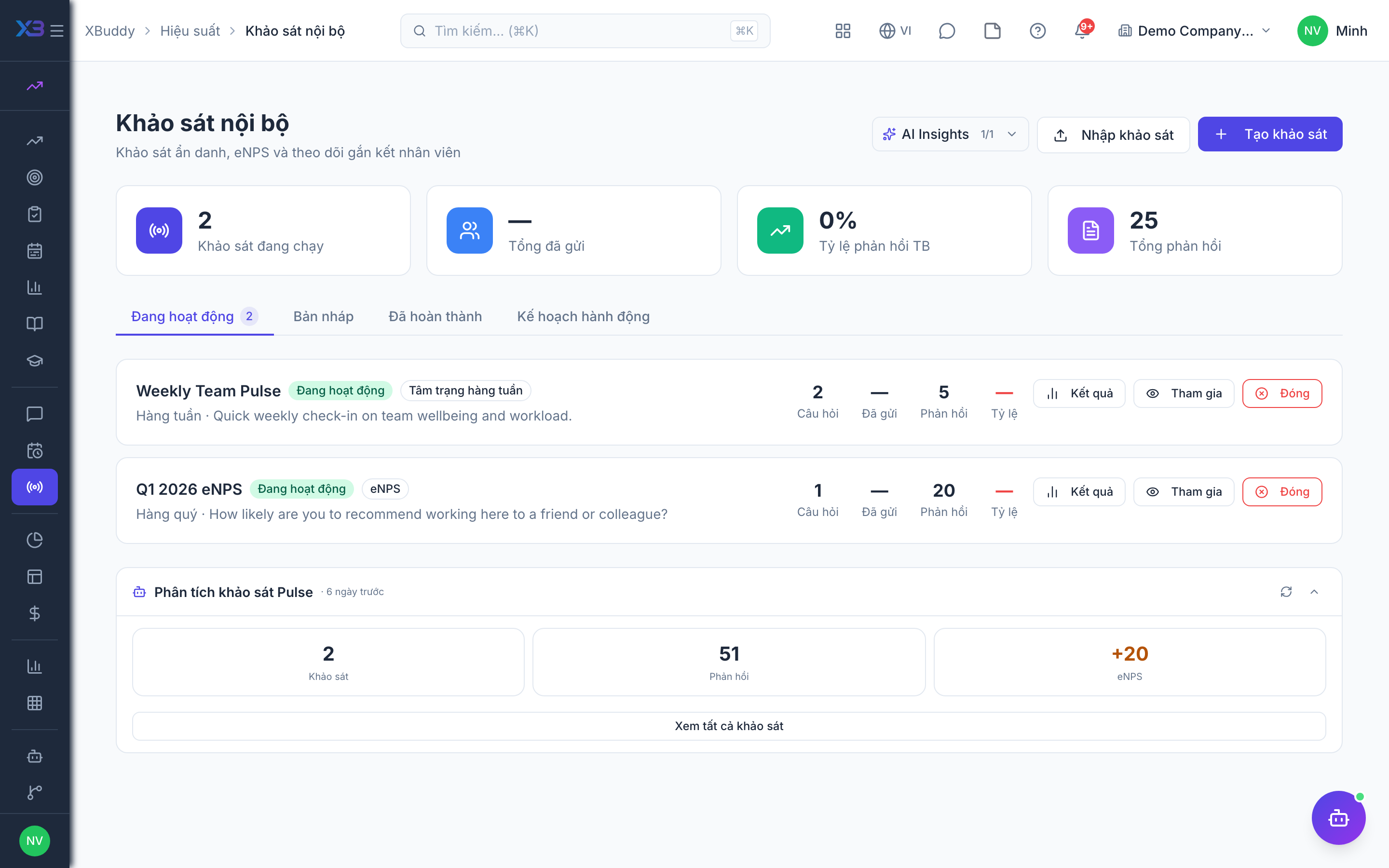
Pulse surveys and eNPS
Short surveys that measure engagement between formal reviews.
When to use
Use this to take the temperature of the team between review cycles: send a short survey, see the results and eNPS, and agree actions. It tells you about morale before it shows up in resignations.
Before you start
- Permissions:
performance:readandperformance:writeto create and launch surveys; staff answer the survey they are invited to. - eNPS is computed only from NPS-type questions.
- Results do not show who answered; identity columns are omitted.
Create a survey
Go to Performance → Pulse Surveys (/performance/pulse) and start a new survey with its questions.
Launch it
Launch to the audience; they are notified and respond from the survey link.
Read results and act
Open the results to see the answer distribution and eNPS, then record an action plan.
Pages
| Page | Route |
|---|---|
| Pulse Surveys | /performance/pulse |
| New survey | /performance/pulse/new |
Each survey has its own respond, edit and results screens.
Tips & common mistakes
- Keep surveys short; a few questions get better response.
- Add at least one NPS question if you want an eNPS number.
- Launching notifies the audience and records how many were sent.
- Turn the results into an action plan so people see something changed.