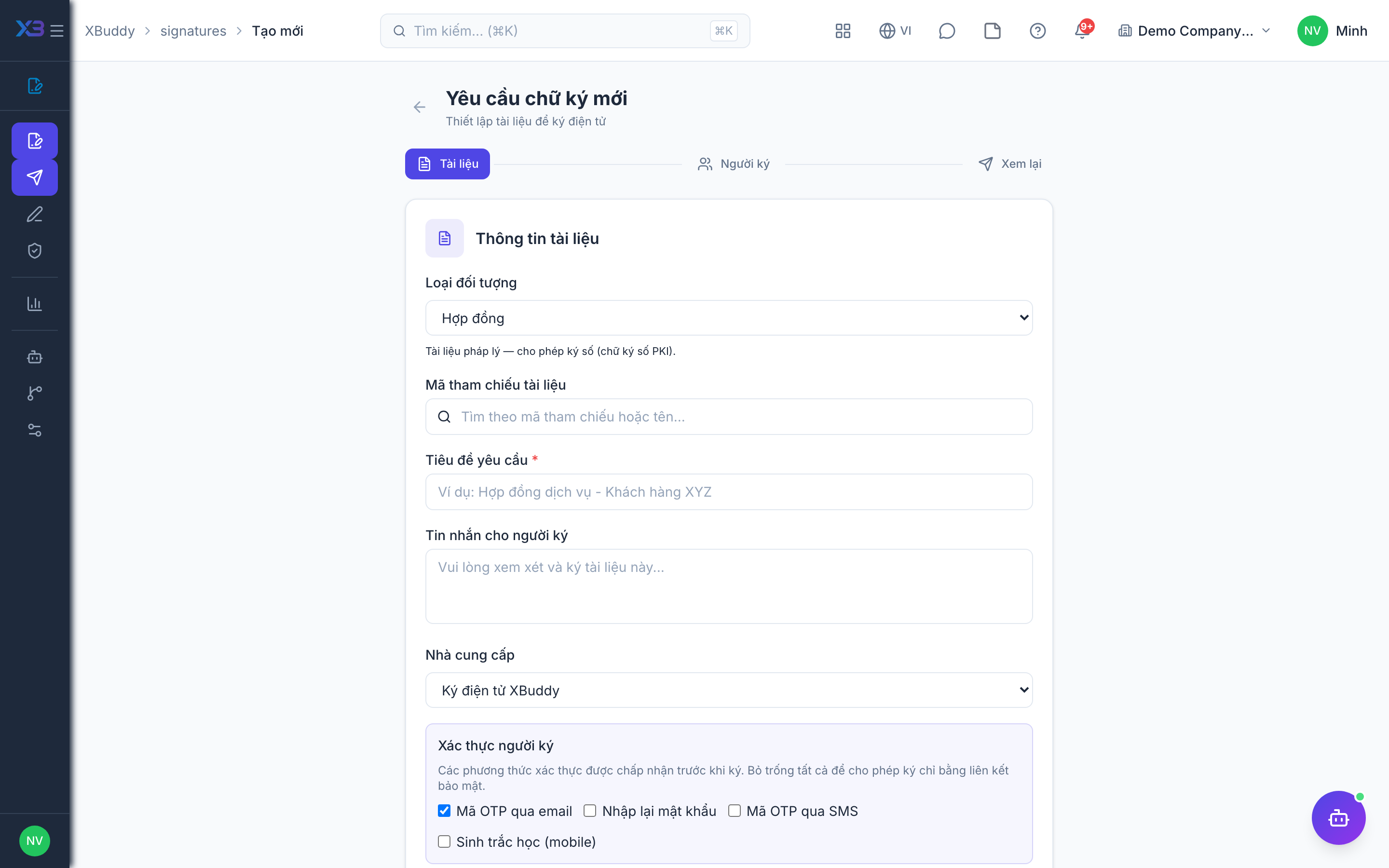
Creating a signature request
A request is the container: one document, a set of signers, and the fields each signer must complete.
Start a new request
Go to E-Signatures → New. Upload a PDF/document or select one from Documents / a linked contract.
Add signers
Add each signer’s name and email, and set a signing order if it matters (e.g. counterparty first, then your executive).
Place fields
Drag signature, initials, date, and text fields onto the document, assigning each to a signer.
Send
Click Send. Each signer receives an email link to sign from any device.
When to use
Use a signature request whenever a document needs a recorded, verifiable signature: a contract, an order, a payslip or a timesheet. You can start it from /signatures/new or directly from the source record, and XBuddy keeps the signed result linked to that record.
Before you start
- You need the
signatures:writepermission to create a draft. Sending, resending and reminding signers are covered by a separate permission,signatures:send. - The source can be one of 22 supported record types (for example contract, quotation, sales order, purchase order, payslip, leave, timesheet) or a document.
- If you plan to use an external provider (DocuSign, Viettel eSign, VNPT eSign), the PDF must already be in Documents.
Request lifecycle
| Status | Meaning |
|---|---|
draft | Created but not sent yet. |
sent | Sent to signers. |
in_progress | At least part of the signing is under way. |
completed | All signers have signed. |
declined | A signer declined. |
cancelled | The creator cancelled the request. |
expired | The request passed its expiry date unsigned. |
Tips & common mistakes
- Place every field before sending; the content of the document is fingerprinted when you send, and a file that has changed since then is rejected at signing time.
- Start from the source record (contract, order) when possible so the signed copy and status flow back to it.
- If a completed request is missing its signed file, open the request at
/signatures/[id]and regenerate it. - Cancel a request you no longer need instead of leaving it open until it expires.
Related
- Tracking signature status
- Signing methods
- Signature policies before confirmation
- Contracts and signatures flow