Assignments & transfers
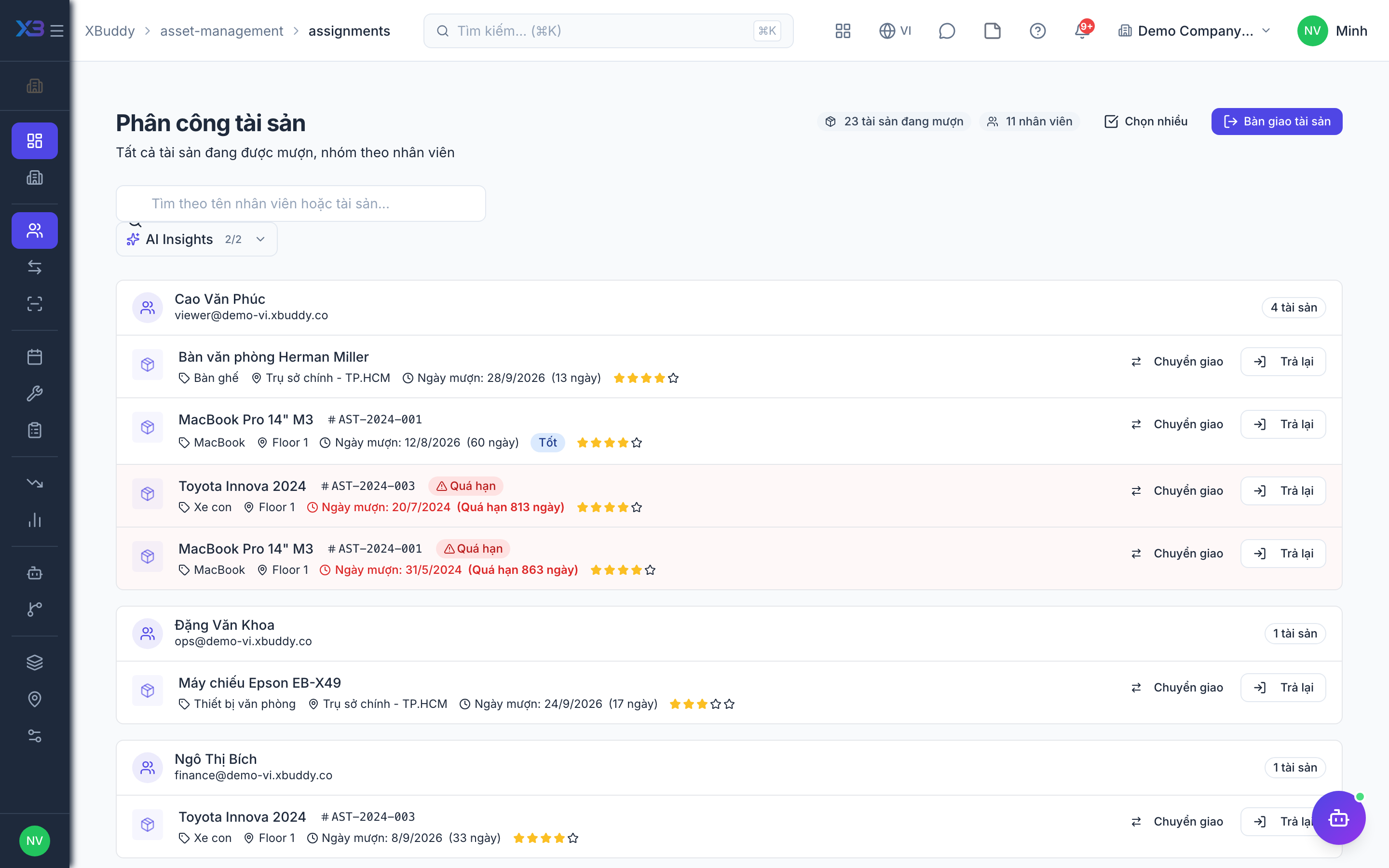
Assignments record who currently holds an asset; transfers move an asset between locations or departments. Together they answer “where is it and who has it” at any moment.
When to use
Use assignments when an employee or location takes an asset; use transfers when an asset moves between locations and the move needs approval.
Before you start
- Permissions:
assets:writeto check out, check in and reassign;assets:transferto request a transfer;assets:approveto approve it. Open/asset-management/assignmentsand/asset-management/transfers. - Toggles:
asset.block_checkout_when_unavailable(default on) stops you handing out an asset that is not ready;asset.require_condition_on_checkin(default off, on for new companies) forces a condition note on return.
Assign an asset
Go to Asset Management → Assignments → New Assignment, choose the asset and the holder (employee/department), and check it out.
Transfer between locations
Use Asset Management → Transfers to move an asset to a new location or owner; the register updates and the movement is logged.
Check in on return
When the asset comes back, check it in from Assignments so it’s available again.
Approve a transfer
A different person approves or rejects the request — the requester cannot approve their own. Approval updates the location and, if a new holder was given, closes the old assignment and opens a new one.
Move part of a quantity
For quantity-tracked assets you can transfer only part of the quantity; cost and book value are split proportionally.
Move between companies
An asset can move to another company in the same tenant; inter-company entries are created in Accounting.
Statuses
| Status | Meaning | Who moves it |
|---|---|---|
| Assignment open | The holder has the asset. | Person with assets:write, at check-out. |
| Assignment closed | Asset returned and available. | Person with assets:write, at check-in. |
| Transfer pending | Waiting for a decision. | Requester (assets:transfer). |
| Transfer approved / rejected | Decision made; approval moves the asset. | Approver (assets:approve). |
Tips & common mistakes
- One asset has one open assignment at a time; check it in or reassign it before handing it to someone else.
- You cannot dispose of or delete an asset that still has an open assignment.
- Record the condition at check-in — it explains later repair costs.
- Disposed or lost assets cannot be transferred.