Meetings & conclusions
Turn each meeting into minutes and conclusions with an owner and a due date, tracked until done.
When to use
Use it when a meeting produces decisions or actions that must not be forgotten: record the minutes, log conclusions, and let the system notify the people responsible.
Before you start
- You need the
calendar:readpermission to view meetings and conclusions; creating or editing needs write access to Calendar. - Project meetings opened through a project also follow project permissions.
- The AI draft button needs
calendar.ai_minutes_drafting(default: Off). When it is off, the feature is rejected.
Steps
Create the meeting
Open /calendar/meetings/new, set the agenda and attendees, and save.
Hold the meeting
On the meeting page (/calendar/meetings), record attendance and write the minutes.
Record conclusions
Add conclusions grouped by type, with a person responsible and a due date. Action and follow-up conclusions can create a task.
Carry over what is not finished
Carry unfinished conclusions into the next meeting. An older decision can be marked as replaced by a newer one.
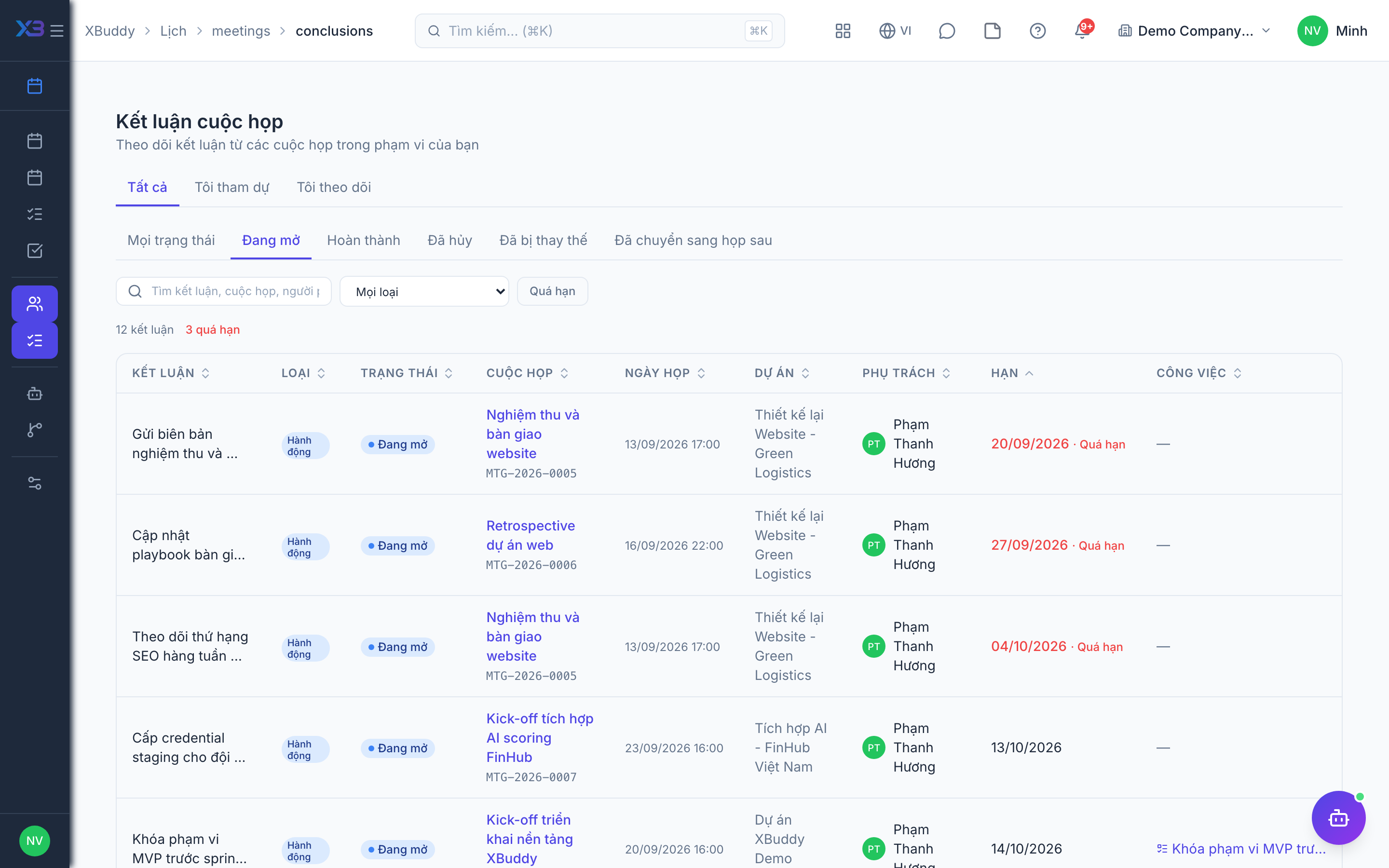
Track your open items
Open /calendar/meetings/conclusions to see the open conclusions assigned to you.
Conclusion types
| Type | Behavior |
|---|---|
| Decision | Starts as done; can later be replaced by a newer decision |
| Action | Can create a task |
| Conditional | Tracked until its condition is met |
| Follow-up | Can create a task; carried over to the next meeting if unfinished |
| Information | Starts as done |
| Parked | Carried over to the next meeting |
Conclusion statuses
| Status | Meaning |
|---|---|
| Open | Waiting to be done |
| Done | Completed |
| Cancelled | No longer needed |
| Superseded | Replaced by a later decision |
| Carried over | Moved to a following meeting |
Tips & common mistakes
- You are notified when a conclusion is assigned to you, when it is carried over, and when it becomes overdue (checked daily).
- The AI only drafts suggestions from the minutes; you choose which to save.
- The calendar assistant suggests creating tasks for overdue conclusions but never closes or carries them over itself.
- Meetings are not yet in global search and not on mobile.