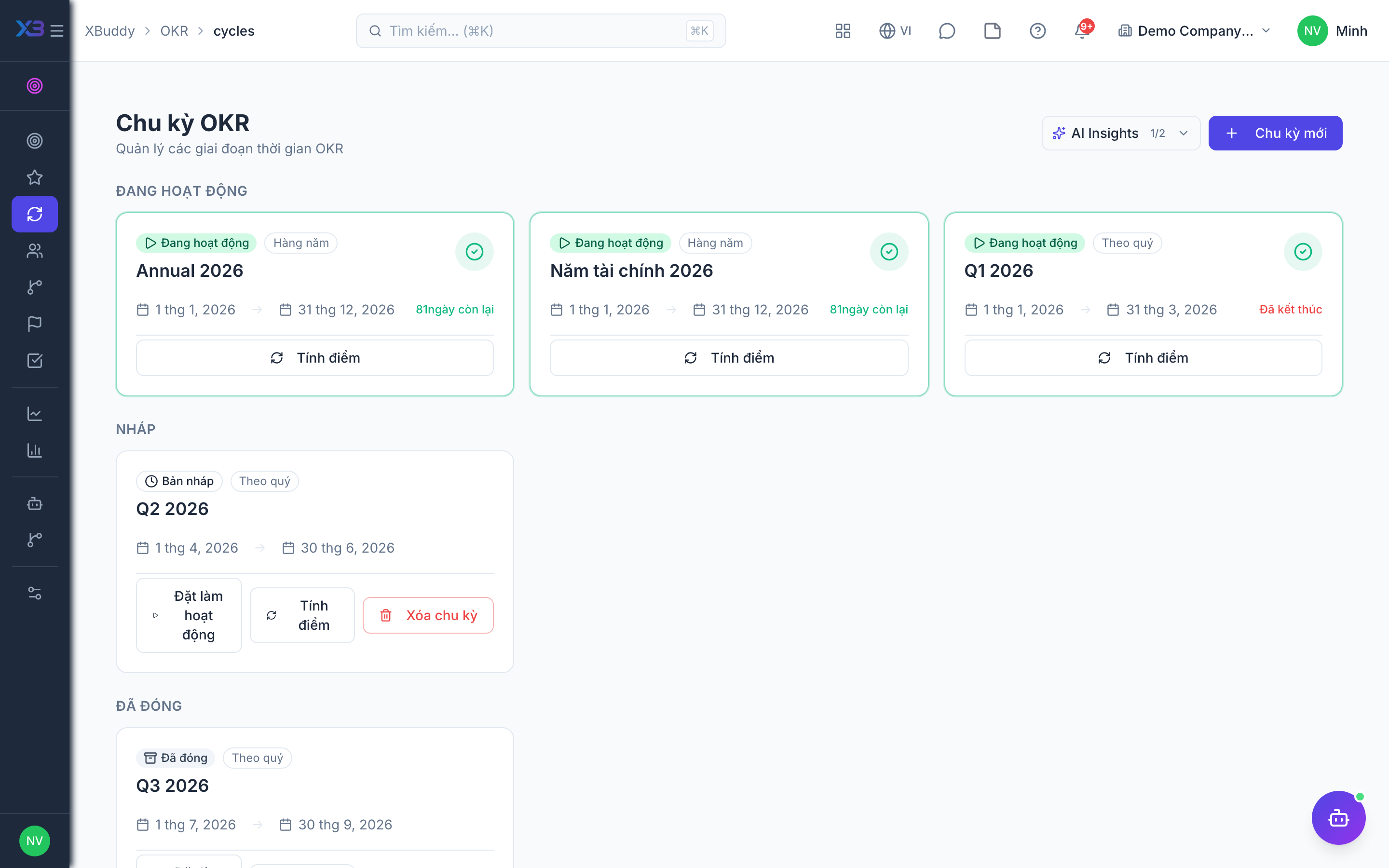
Running OKR cycles
Cycles are the time boxes that group OKRs. Only one cycle is typically active at a time, and closing a cycle freezes its scores for the retrospective.
When to use
Use this when you open a new quarter or year, and again when it ends. A cycle groups all OKRs of the period, and closing it is what hands the scores over to performance reviews.
Before you start
- Permissions:
okrs:writeto create and edit cycles;okrs:approveto activate a cycle. - Individual scores are computed on request before closing.
- OKR scores are used in performance reviews only, never in payroll.
Create the cycle
Go to OKR → OKR Cycles (/okr/cycles) and create a cycle with a name (e.g. “Q3 2026”), start date, and end date.
Open for drafting
Keep the cycle in draft so owners can draft and align objectives before it starts.
Activate
When the period begins, set the cycle to active. Check-ins and progress tracking now count toward the cycle score.
Close and score
At period end, set the cycle to closed. Final Key Result values are frozen and roll into the cycle summary and Reports.
Cycle statuses
| Status | Meaning | Who moves it |
|---|---|---|
| Draft | Cycle created; owners draft and align objectives | Creator (okrs:write) |
| Active | Period is running; check-ins count | A user with okrs:approve |
| Closed / completed | Period over; figures frozen | A user with okrs:write, by setting the status |
What closing does
Closing a cycle sends each employee’s average objective score into their open performance reviews whose period overlaps the cycle, and cleans up the cycle’s KPI links. A review whose dates do not overlap is not updated.
Tips & common mistakes
- Compute scores before closing so the figures are what you expect.
- Activate on the first day of the period so check-ins count.
- Make sure a performance review period overlaps the cycle, or the score will not arrive.
- Closing is the end; plan your retrospective in Reports before you close.