Operations & repair
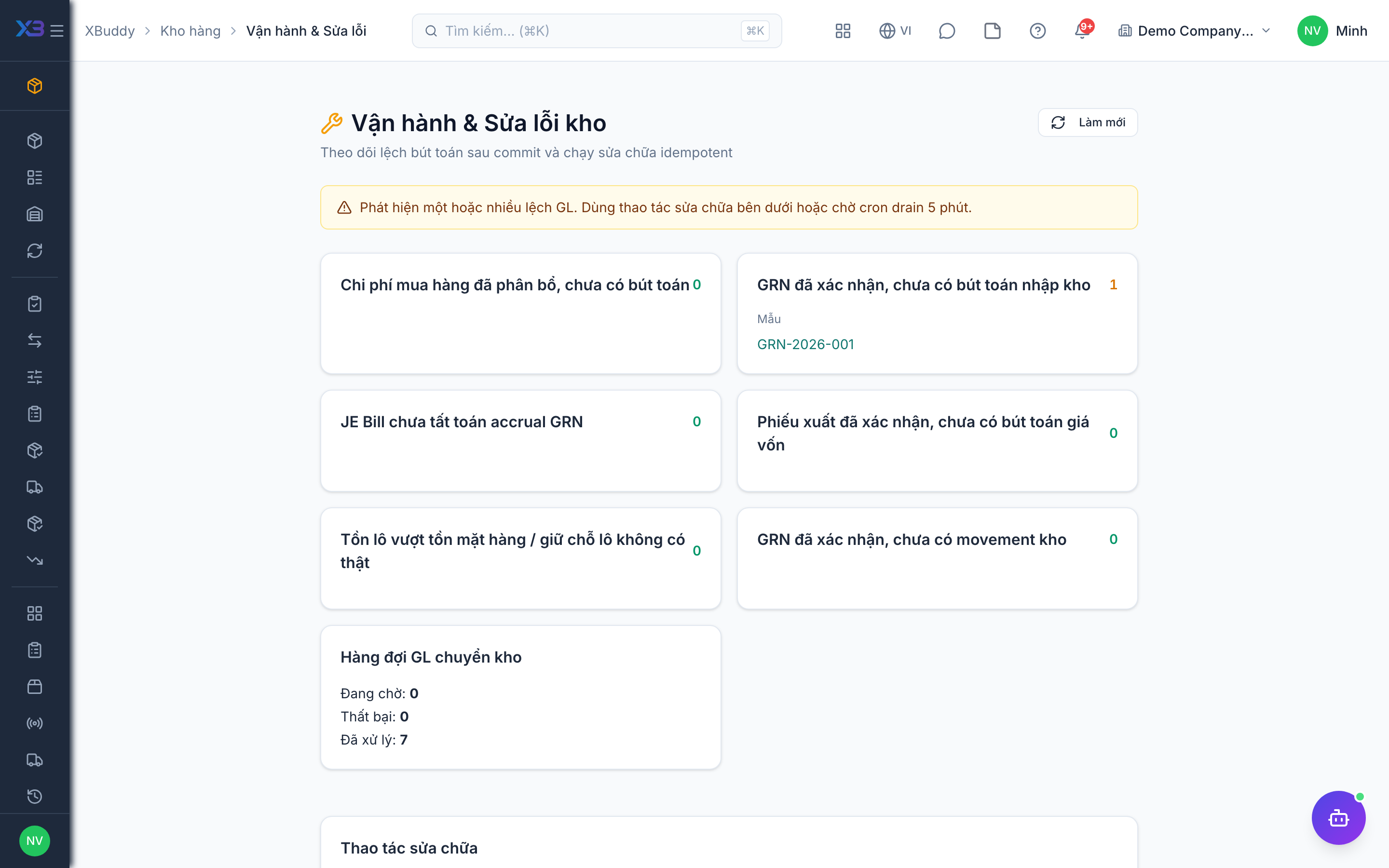
Operations & Repair is the console for inventory administrators. It finds stock documents whose accounting entries are missing or failed and lets you re-run them.
When to use
Use it when stock value in Inventory differs from the ledger, or when a receipt, issue or landed cost shows no accounting entry.
Before you start
- Open
/inventory/ops. Permission:inventory:admin. - Know the period status: a closed accounting period or a missing GL account will block a repair until fixed.
Check reconciliation
Open the reconciliation view to see documents with missing entries and the reason (for example closed period or missing account).
Fix the cause
Open the period or complete the account mapping in Accounting.
Re-run the repair
Run the repair for landed-cost entries, GRN entries or the stock entry queue, or replay a single GRN.
Confirm
Return to reconciliation and check the list is empty.
Tips & common mistakes
- Fix the cause first; re-running without it will fail again.
- Repair is safe to repeat — it only creates what is missing.
- Check this page after year-end or after changing the costing policy.