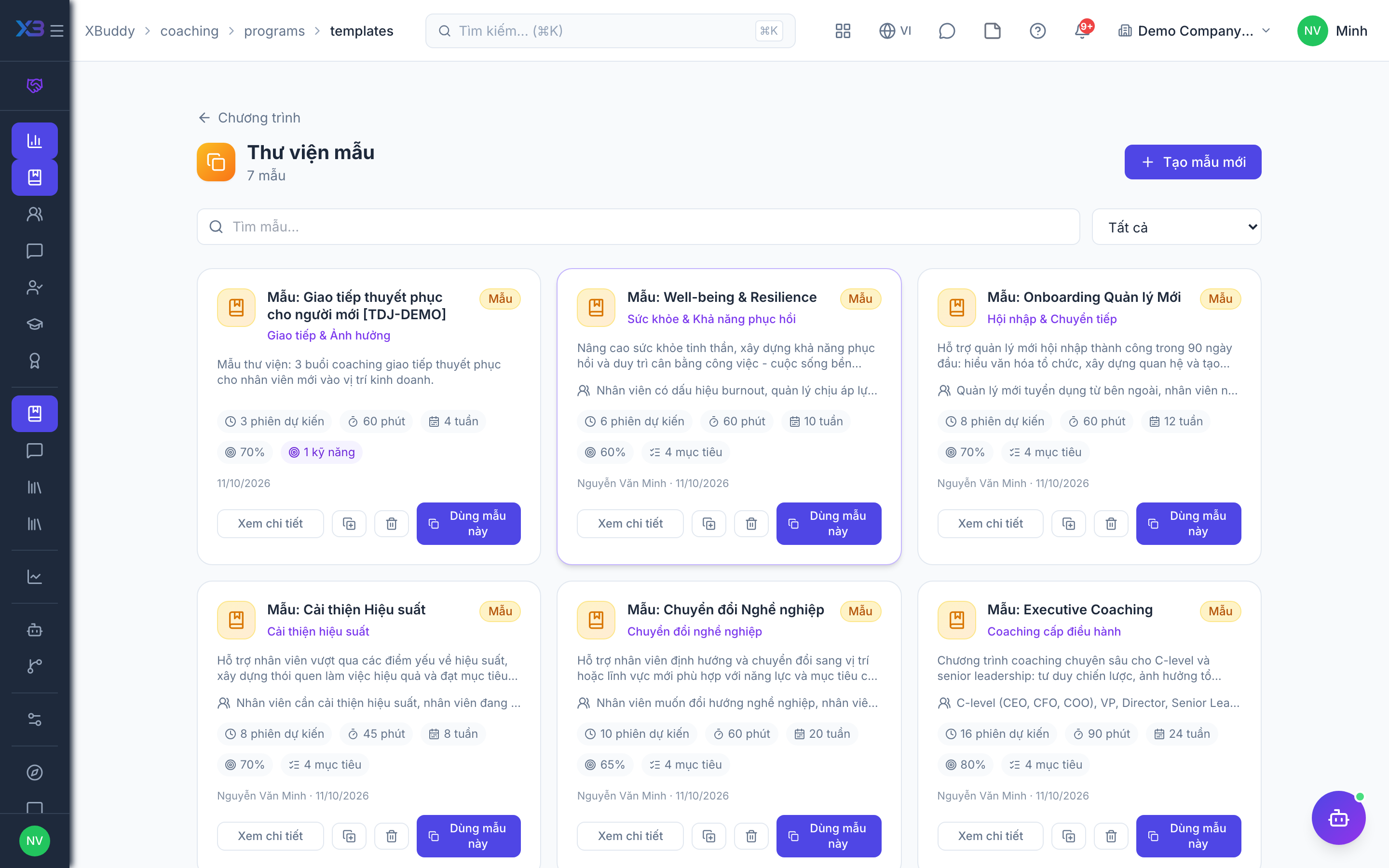
Programs and program templates
A Program Template is a reusable blueprint (objectives, session cadence, competencies); a Program is a running instance built from a template and tailored to a group or purpose.
When to use
Use this to design coaching once and run it many times: build a template with a plan (sessions, LMS courses, assessments, assignments, milestones, resources), then publish programs from it for a group or purpose.
Before you start
- Permission:
coaching_programs:managefor templates, plan items and session templates;coaching:readto see programs. - The plan on a template is copied into each new engagement, so later template changes do not alter engagements already running.
- A certificate criteria can be set on the program (minimum outcome score, required items, snapshots).
Create a template
Go to Coaching → Program Templates (/coaching/programs/templates) and define a template — its goals, recommended session count and cadence, and the competencies it develops.
Launch a program
Go to Coaching → Programs (/coaching/programs) and create a program from a template. Adjust objectives and cadence for the specific cohort.
Assign coaches
Attach one or more qualified coaches to the program so they can be paired into engagements.
The three layers
| Layer | What it holds | Behaviour |
|---|---|---|
| Library | Session templates, LMS courses, competency groups, documents | Referenced, reused |
| Curriculum | The ordered plan on a template or program: session, LMS course, assessment, assignment, milestone, resource | Copied when an engagement is created |
| Execution | Sessions, action items, LMS links, competency snapshots, certificates per engagement | Plan and actual stay separate |
Pages
| Page | Route |
|---|---|
| Programs | /coaching/programs |
| Program templates | /coaching/programs/templates |
Tips & common mistakes
- Reuse session templates inside program templates instead of rewriting agendas.
- Only published programs can have engagements created.
- Add a milestone that requires a competency snapshot when you want an assessment before moving on.
- Set the certificate criteria at the program, not case by case.