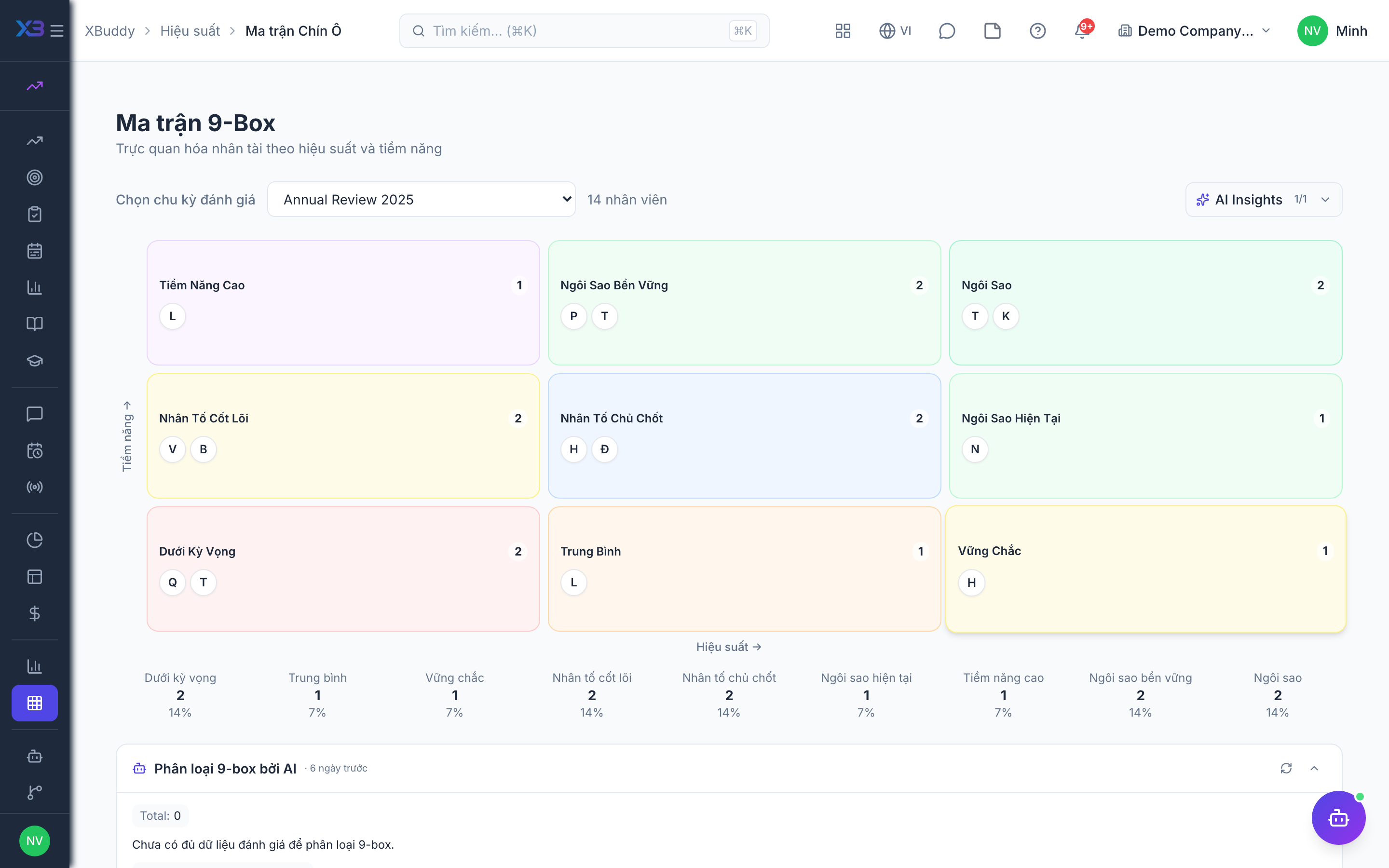
Talent mapping with the nine-box grid
When to use
Use this after ratings are final, to see where people sit on performance versus potential and decide who to develop, promote or retain. It is for planning conversations, not for automatic decisions.
Before you start
- Permission:
performance:readfor the nine-box (/performance/nine-box) and analytics (/performance/analytics). - The grid is built from finalized review results, so run and finalize the cycle first.
- Toggle
people.succession_derived_readiness(default off, on for new companies): succession readiness is computed from skill coverage on a 0 to 100 scale.
Open the nine-box
Go to Performance → Nine Box to plot employees on a performance-vs-potential grid.
Identify talent segments
See who your high-potentials, solid performers, and at-risk employees are at a glance for succession and development decisions.
Feed HR planning
Use the grid to inform HR succession planning and targeted development investment.
Reading the grid
| Area | What to do |
|---|---|
| High performance, high potential | Plan stretch roles and succession |
| High performance, lower potential | Keep engaged and recognised |
| Lower performance | Check the review, then a development plan or coaching |
The AI assistant can propose nine-box placements and flag calibration bias; it only suggests, people decide.
Tips & common mistakes
- Calibrate ratings first, or the grid shows manager bias instead of talent.
- Use the grid to start a conversation, then record outcomes in the development plan.
- Treat the nine-box as a snapshot; re-run it every cycle.
- Restrict who can see it; it is sensitive.