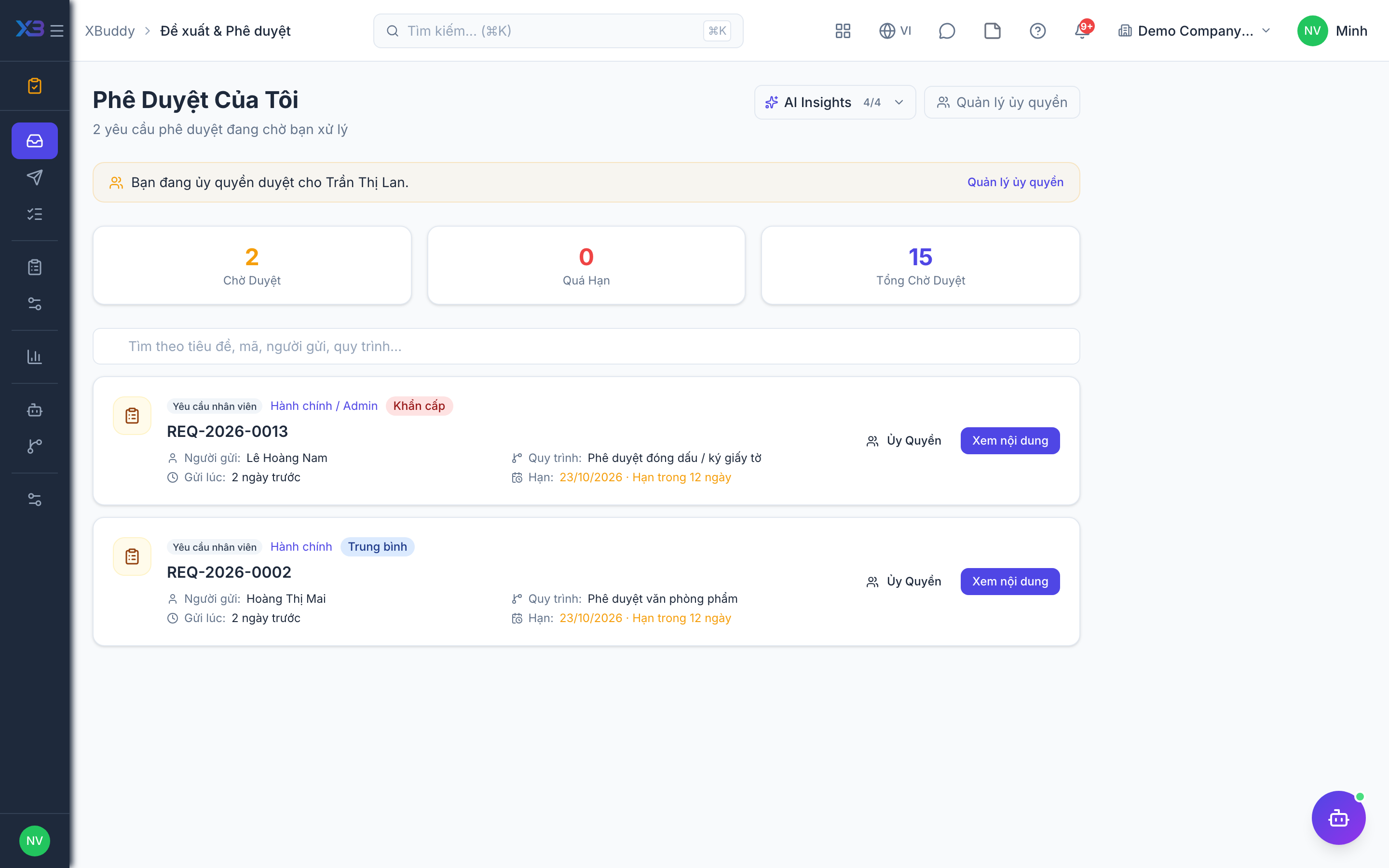
Approving or rejecting in My Tasks
My Tasks is your action queue — the requests where you are the current approver. Clearing it promptly keeps everyone else’s work moving.
Open your queue
Go to Approvals → My Tasks. Each row shows the source document (PO, expense, internal request…), the requester, the amount/details, and the SLA timer.
Review the request
Click a request to see the underlying document, any prior approvers’ comments, and — for a multi-step chain — which step it’s currently at and who’s ahead of you in the sequence.
Approve or reject
Click Approve to advance it to the next step (or complete it if you’re the last one), or Reject — a reason is required so the requester knows why. If the request type allows it, you can also send it back for revision instead of rejecting outright.
If your task is a role-based step (e.g. “any Finance Manager”), everyone holding that role sees it in their own My Tasks until one of them acts — you don’t need to wait for it to be reassigned to you specifically.