Stock adjustments
A stock adjustment document corrects on-hand for damage, loss or found stock, with an approval step. Stock changes only when the document is posted.
When to use
Use it for a controlled correction of a few items with a reason. For a full count of a warehouse use Stocktaking.
Before you start
- Open
/inventory/stock-adjustments. Permissions:inventory:readto view,inventory:stocktaketo create or change quantities directly,inventory:approvefor approval. - Entries post to Accounting when the adjustment is posted.
Draft the adjustment
Choose the warehouse, add items with the new or changed quantity and a reason.
Submit for approval
Send the draft for approval. The approver reviews quantities and reasons.
Approve or reject
The approver approves it or rejects it with a comment; a rejected document goes back to be fixed.
Post
Post the approved document. Only now is on-hand changed and the accounting entry created.
Cancel or void
Cancel a document that is not posted any more; void a posted one to reverse it.
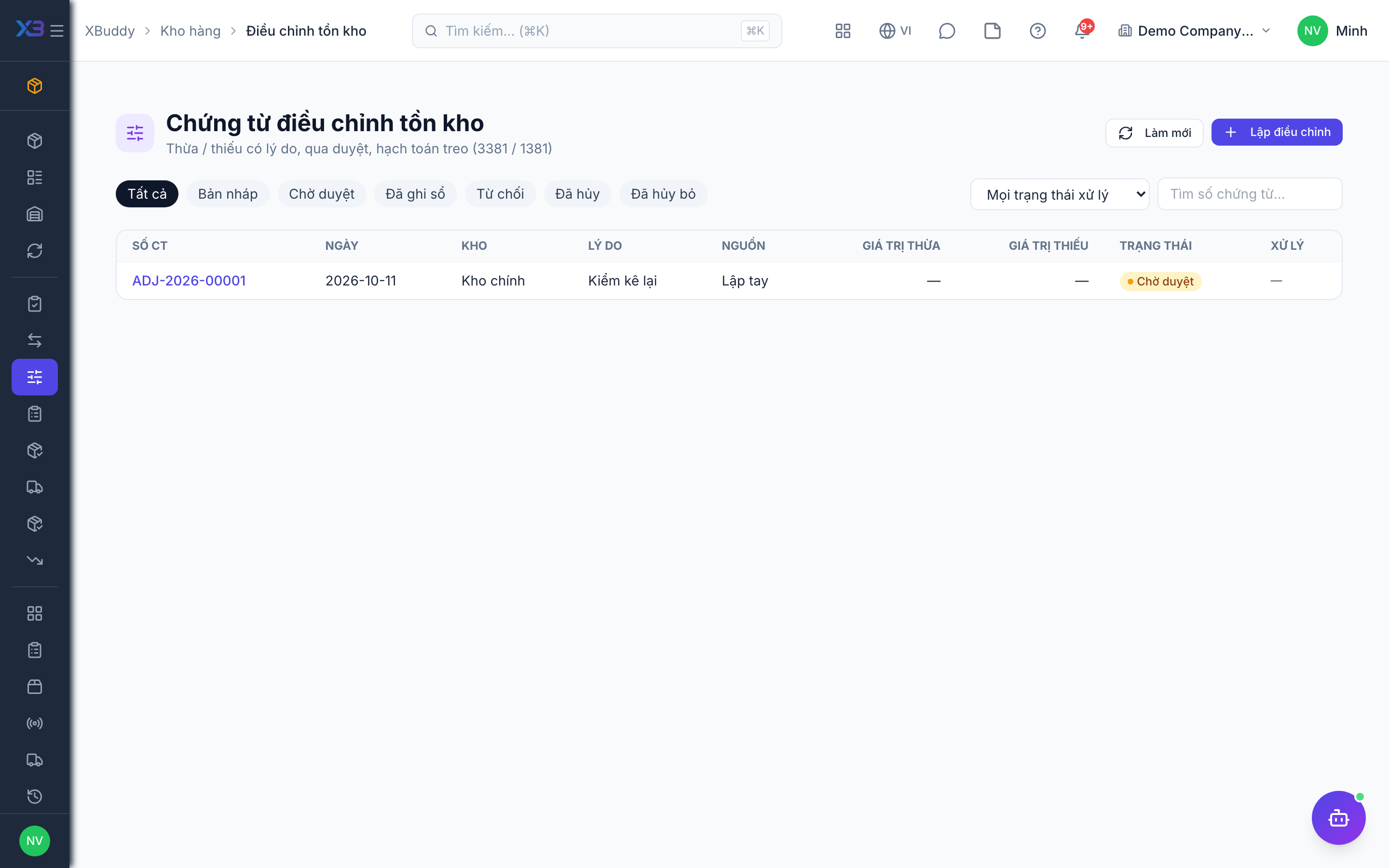
Statuses
| Status | Meaning | Who moves it |
|---|---|---|
| Draft | Being prepared; no stock effect. | Creator. |
| Submitted | Waiting for approval. | Creator. |
| Approved / Rejected | Decision recorded. | Approver. |
| Posted | On-hand changed and entry created. | Authorised user after approval. |
| Cancelled / Voided | Dropped before posting, or reversed after posting. | Creator or approver. |
Tips & common mistakes
- Write a specific reason (“water damage, 3 pcs”) — it is the audit trail.
- Nothing changes until posting; do not expect stock to move at approval.
- A recurring variance means a process problem; fix the cause, not just the number.
- Do not use an adjustment to receive purchased goods — use a GRN.