Templates and the Clause Library
Consistency and speed come from reuse. Templates give you a full contract skeleton; the clause library gives you pre-approved building blocks.
When to use
Use templates whenever you start a new agreement of a known type, and the clause library when you need standard wording for a single section.
Before you start
contract_management:viewto browse; managing templates and groups needs the template-management rights.- You can load the default template set on a new workspace instead of building from scratch.
Steps
Start from a template
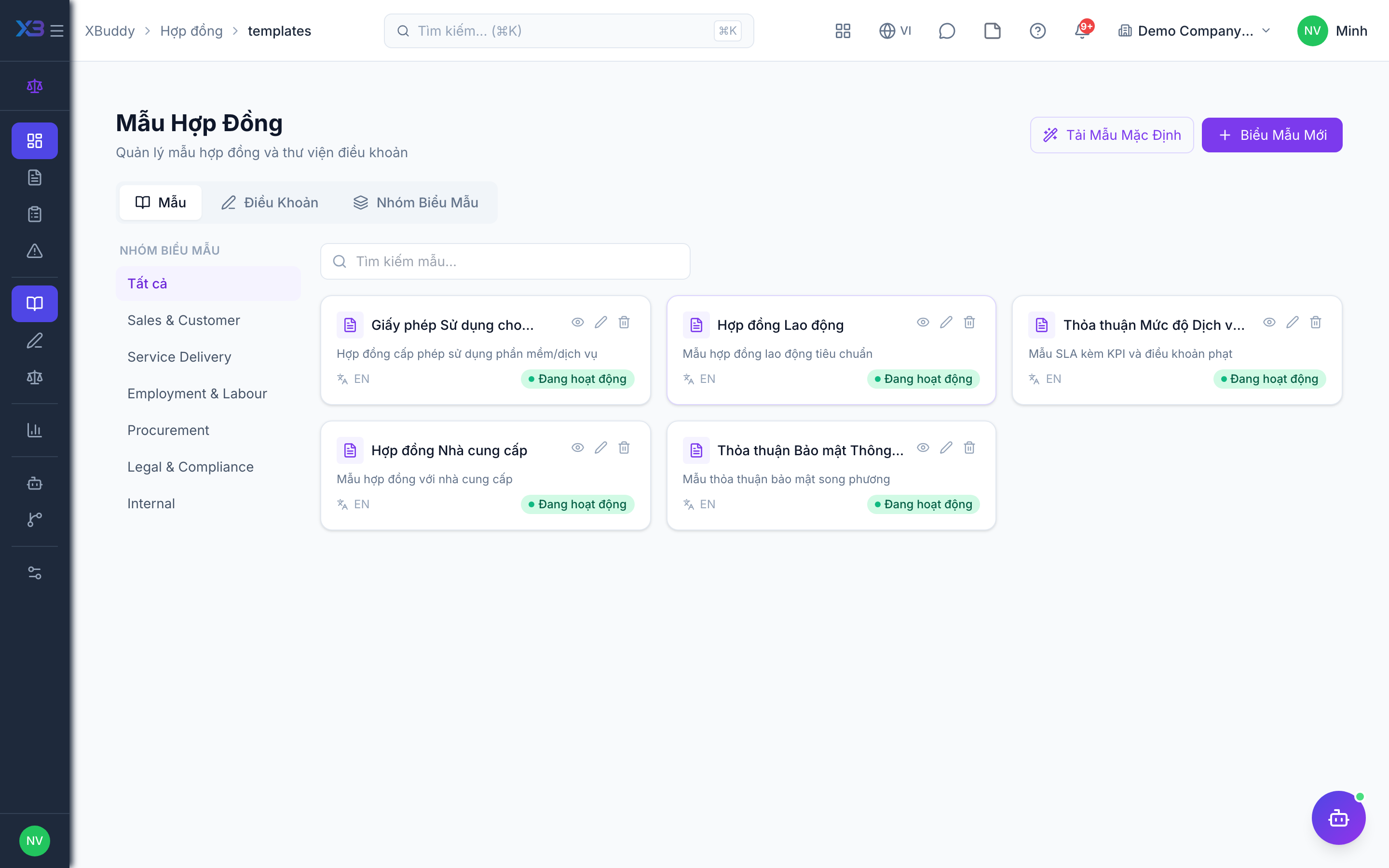
In Contract Management → Contract Templates (/contracts/templates), pick the template that matches the agreement type; it pre-fills structure and standard terms. Templates are organised in groups and can have attachments.
Insert approved clauses
Pull vetted language from Contract Management → Clause Library so wording stays consistent and legally sound.
Keep the library current
As standard terms evolve, update clauses and templates centrally so every new contract draws on the latest approved language.
Tips & common mistakes
- Update the template, not individual contracts, when standard terms change.
- A template is a whole contract; a clause is one block. Use both.
- Deleted templates can be restored.
- Pair templates with the clause playbook on the Policies page so reviewers know the fallback positions.