Inspection templates
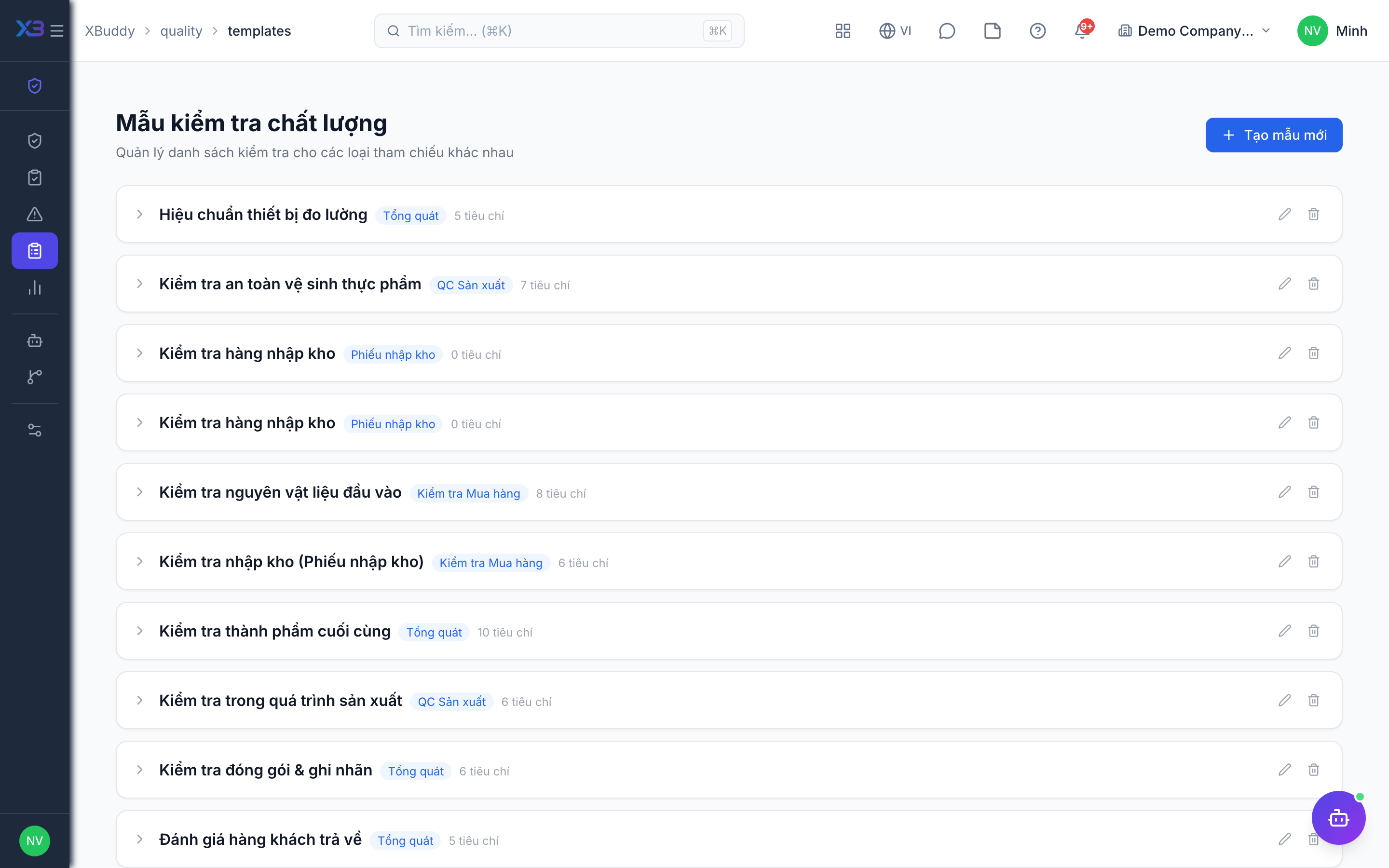
Templates standardize what gets checked. Each template defines the checklist items, measurement tolerances, and the pass/fail criteria so every inspector applies the same standard.
When to use
Create a template for every kind of check you repeat — incoming goods, in-process, final or supplier audit — so results are comparable.
Before you start
- Open
/quality/templates. Permissions:quality:readto view,quality:writeto create or edit,quality:deleteto deactivate a template. - Numeric items fail automatically when the reading is outside the minimum / maximum you set.
Create a template
Go to Quality → Templates → New Template. Add checklist items, each with a tolerance range or a pass/fail rule.
Set the inspection type
Choose whether the template is for incoming (goods receipt), in-process (work order), or final/supplier inspection so it appears in the right context.
Publish and reuse
Publish the template; it can then be attached to any inspection so results are captured consistently.
Deactivate and restore
Removing a template is a soft delete: it disappears from the list for new inspections, and can be restored later. Existing inspections keep their results.
Tips & common mistakes
- Give numeric items a real min and max — an item without limits can only be judged by hand.
- Keep templates short; a 40-item checklist will not be filled in carefully.
- Do not edit a template to hide a past failure; create a new one for a new standard.
- Use the same template name per product family so reports group correctly.